
Open weights · ComfyUI guide
Krea 2 ComfyUI Workflow and Download Guide
Krea AI opened the weights of Krea 2 in June 2026: RAW for training and Turbo, an 8-step model you can run in ComfyUI. This guide covers which files to download, where they go, how much VRAM each build needs, the style reference workflow and LoRA training. No GPU at hand? Try Krea 2 Turbo in the box below first.
- 12B single-stream DiT
- Turbo: 8 steps, CFG 0
- 1K to 2K output
- FP8 · INT8 · BF16 · GGUF
- 9 official style LoRAs
- Community License
Style references (optional, up to 3)
The box opens Artcraft’s image studio on Krea 2 Turbo, served by fal at Krea’s recommended 8 steps. Pick the size there; the price in credits is on the button before you generate, and a failed image is refunded. Photos you add are used as style references, not edited.
What Krea 2 is, and which part you can download
Krea 2 is the first image model Krea AI trained from scratch rather than fine-tuned from someone else’s. It went live on krea.ai on May 12, 2026 as two hosted tiers, Krea 2 Large (photographic detail) and Krea 2 Medium (illustration, twice as fast), and Krea opened the weights on June 22–23, 2026. It is not built on FLUX, and it is not FLUX.1 Krea, the model Krea made with Black Forest Labs in 2025.
Two checkpoints are downloadable. Krea 2 RAW is the undistilled base: 52 steps at CFG 3.5, trained up to about 1K, and meant for fine-tuning and LoRA training rather than everyday images. Krea 2 Turbo is distilled from it: 8 steps at CFG 0, 1K to 2K output, and the one you run. Krea sums it up as “train on RAW, run on Turbo”. Large and Medium stay closed; there is no Hugging Face download for them.
Under the hood it is a single-stream diffusion transformer of about 12B parameters (12.9B in ComfyUI’s count), reading prompts through a Qwen3-VL text encoder and decoding with the Qwen Image VAE. Krea says no AI-generated images went into pre-training, which is where its less “AI-looking” film, illustration and painting styles come from. The open release is text-to-image only: style comes from reference images and LoRAs, and there is no official edit model or ControlNet yet.
Krea 2 RAW vs Turbo (and the hosted tiers)
What each version is for, so you download the right one. Hosted prices are per 1K image as listed in October 2026.
| Krea 2 Turbo | Krea 2 RAW | Krea 2 Medium / Large | |
|---|---|---|---|
| Weights | Open, Hugging Face | Open, Hugging Face | Closed, krea.ai and API only |
| Steps and CFG | 8 steps, CFG 0 | 52 steps, CFG 3.5 | Set by Krea |
| Output size | 1K to 2K | Up to about 1K | 1K, 8 aspect ratios |
| Negative prompt | No effect (CFG 0) | Works | Not exposed |
| Best for | Generating images, running LoRAs | Training LoRAs and fine-tunes | Krea’s own app: moodboards, sliders |
| Hosted price | About $0.008 per megapixel on fal | Not offered hosted | Large $0.06, Medium $0.03 per image |
The 9 official Krea 2 style LoRAs, with prompts
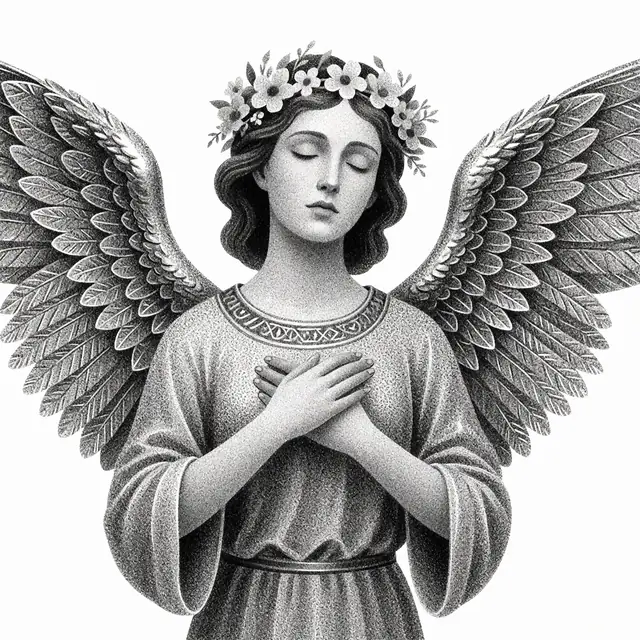
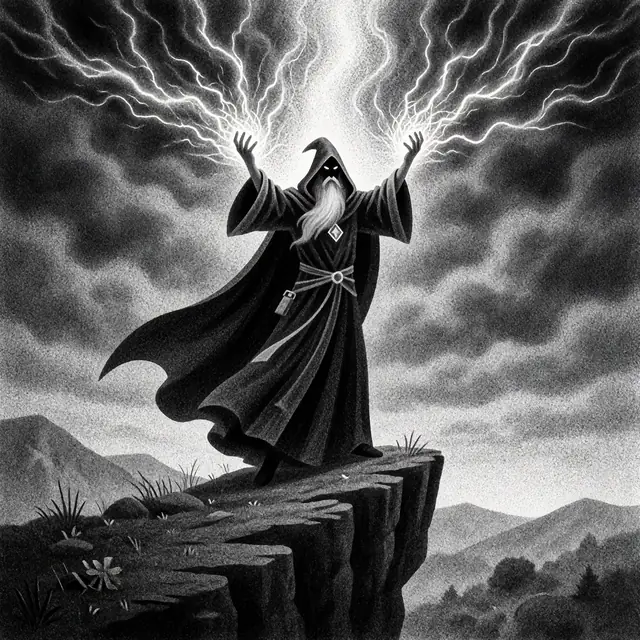
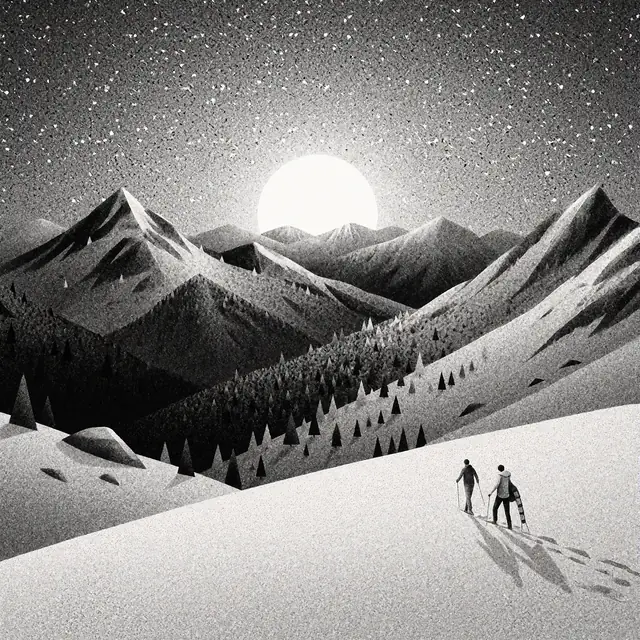
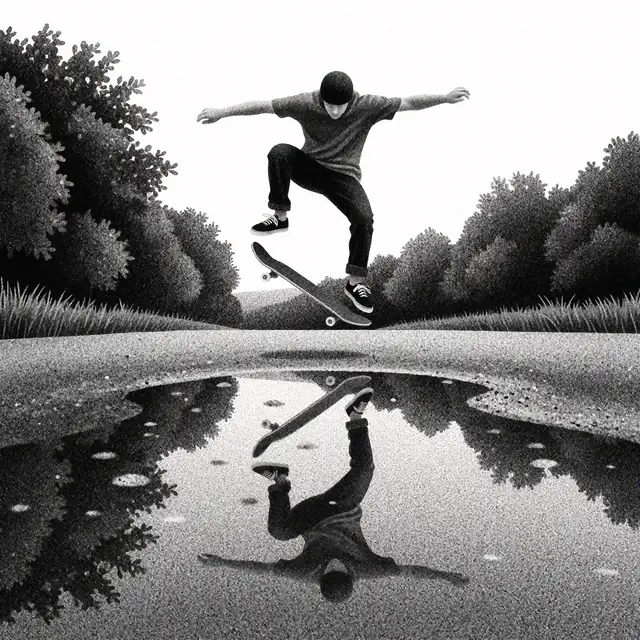
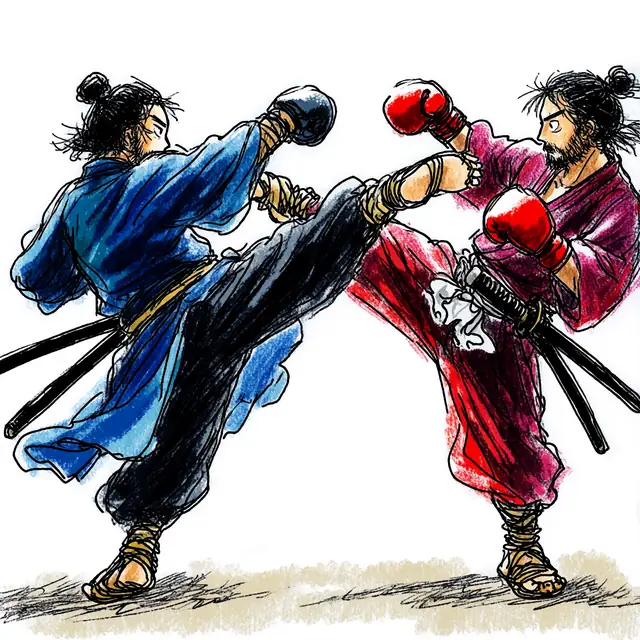
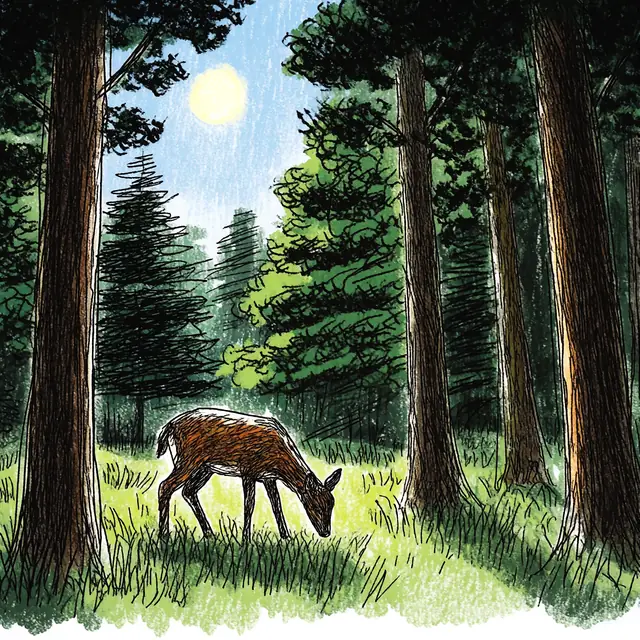
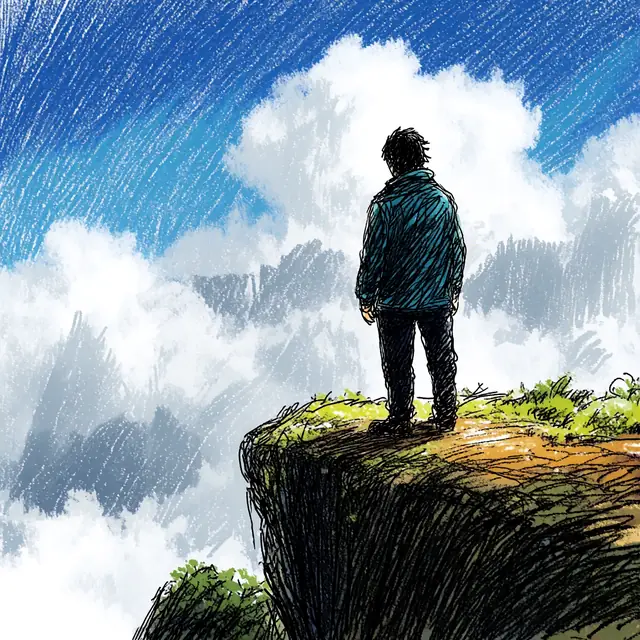
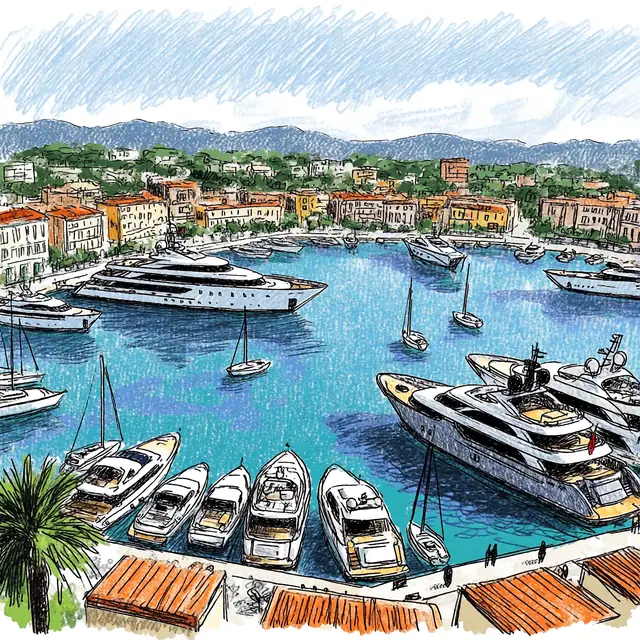
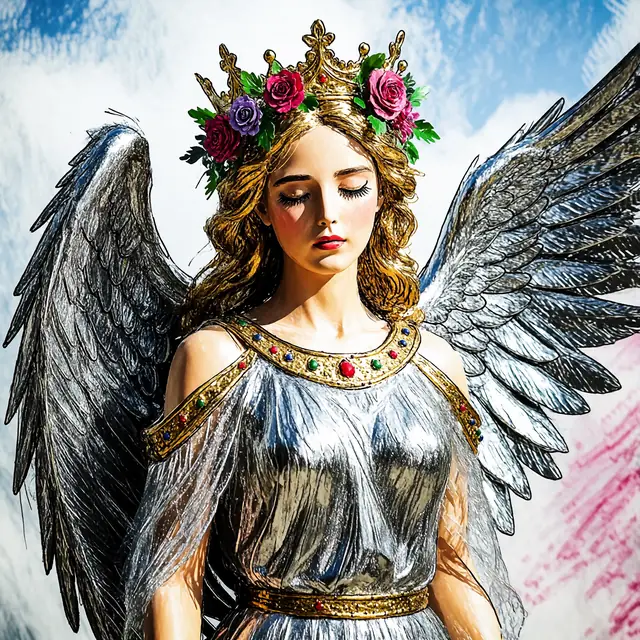
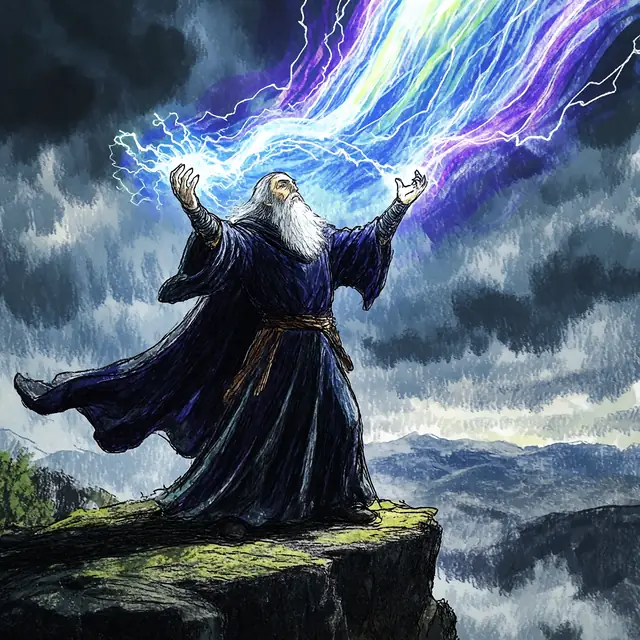
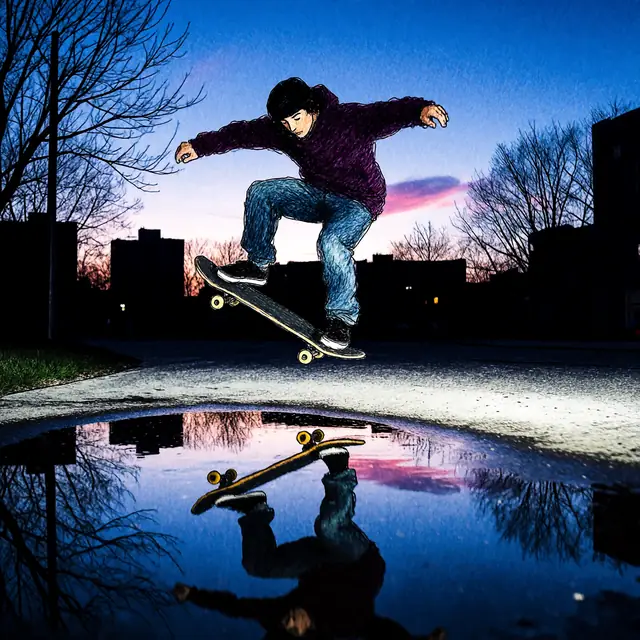
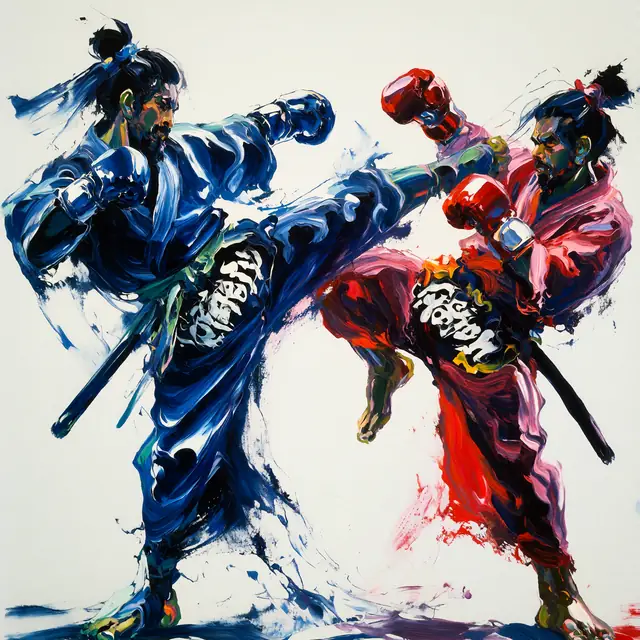
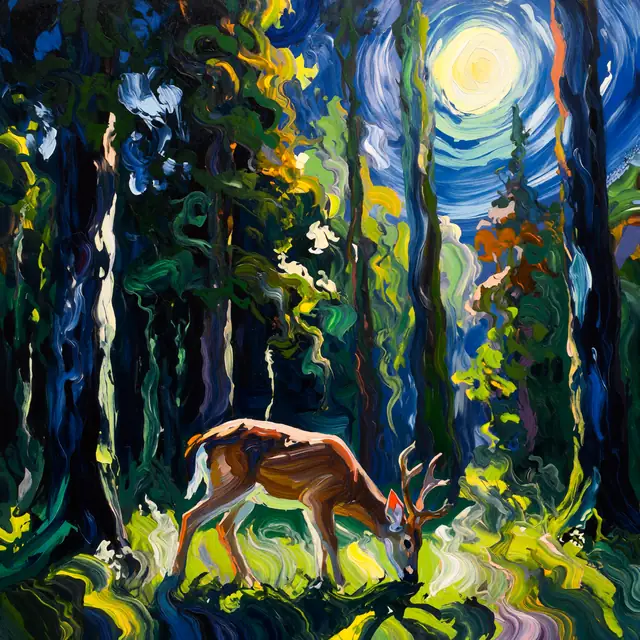
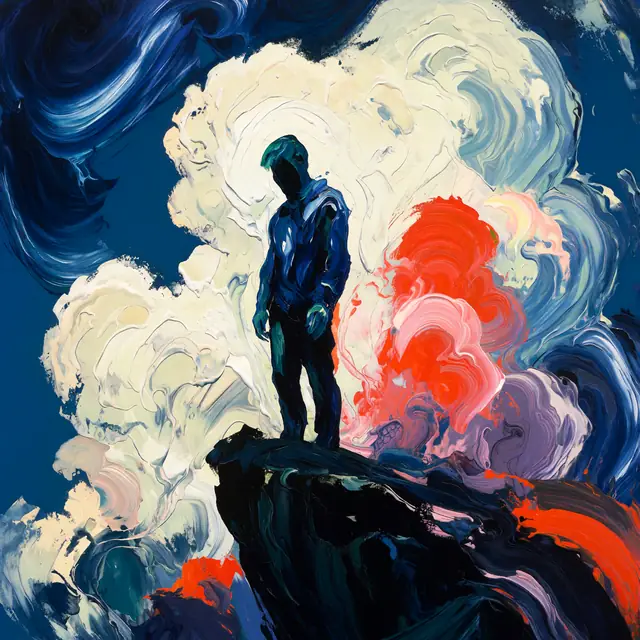
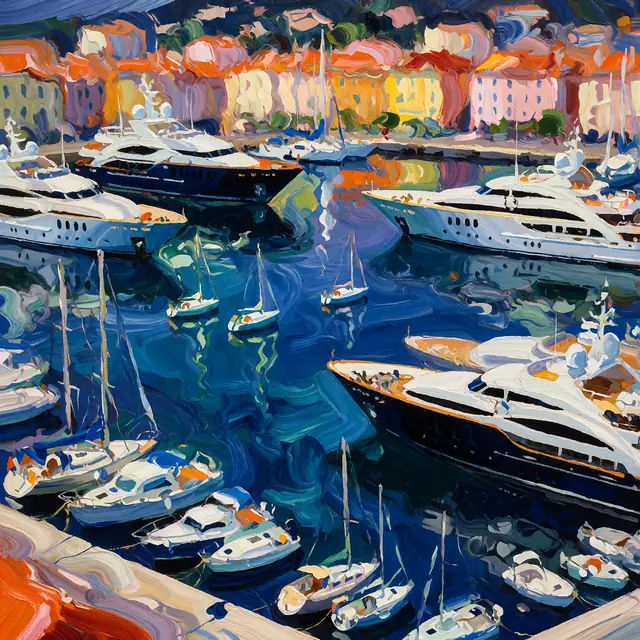
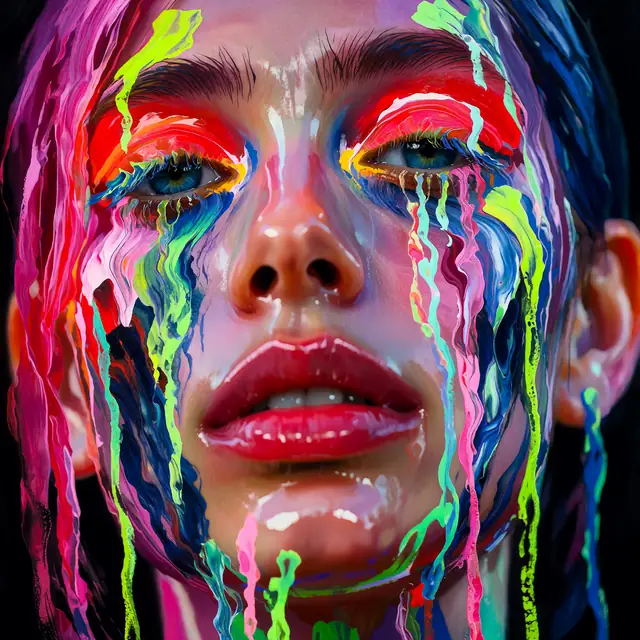
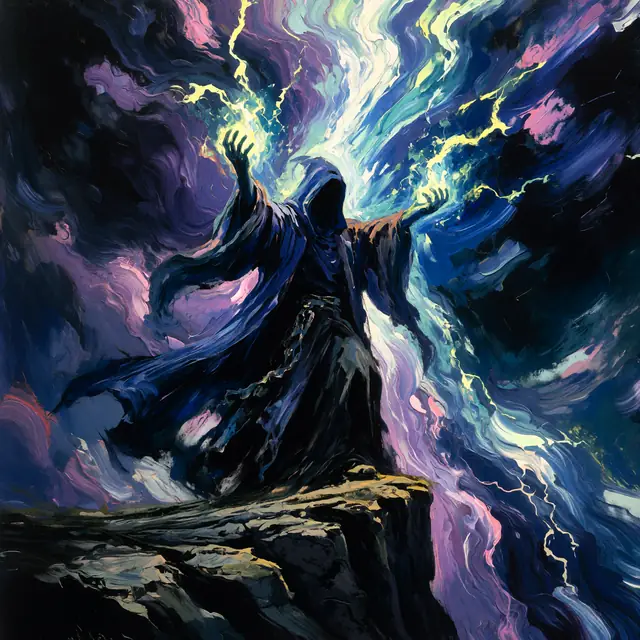
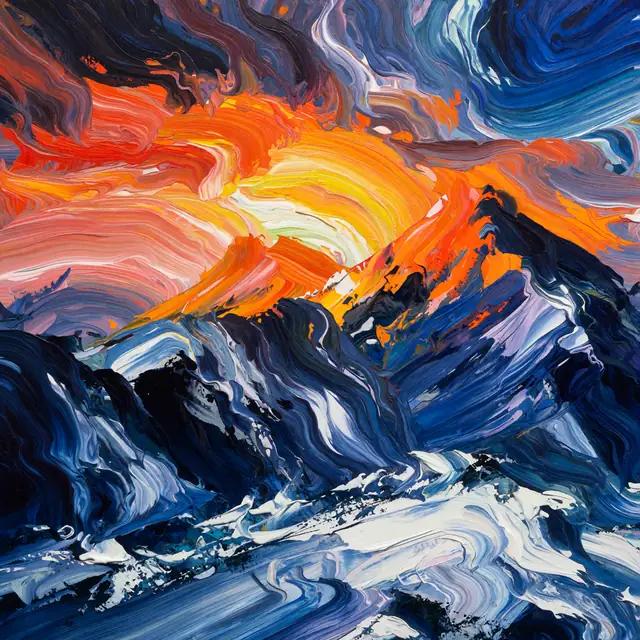
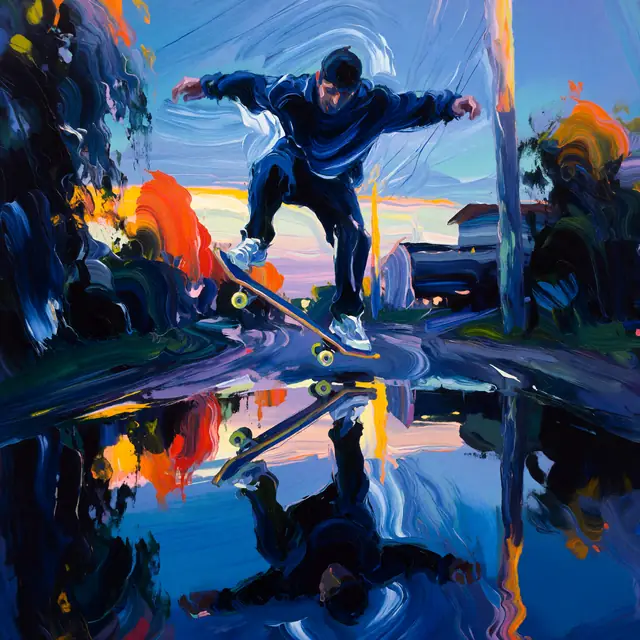
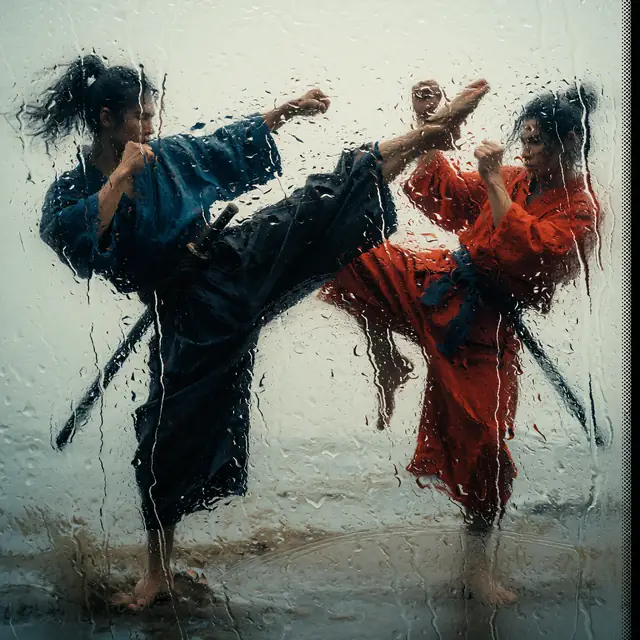
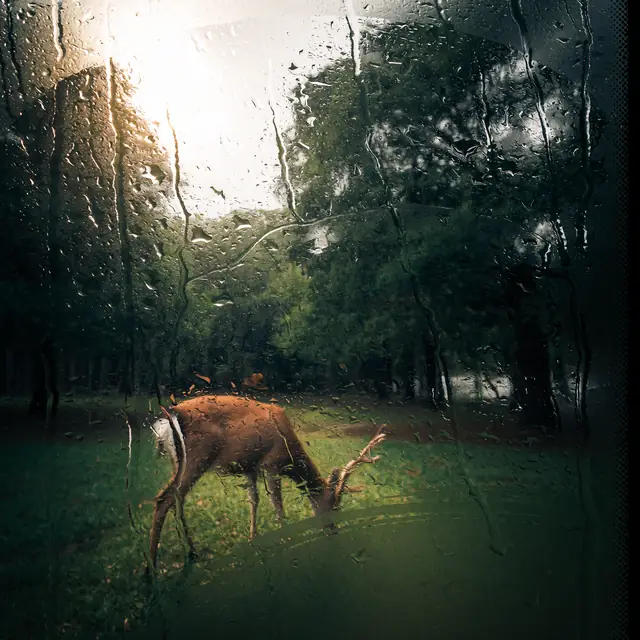
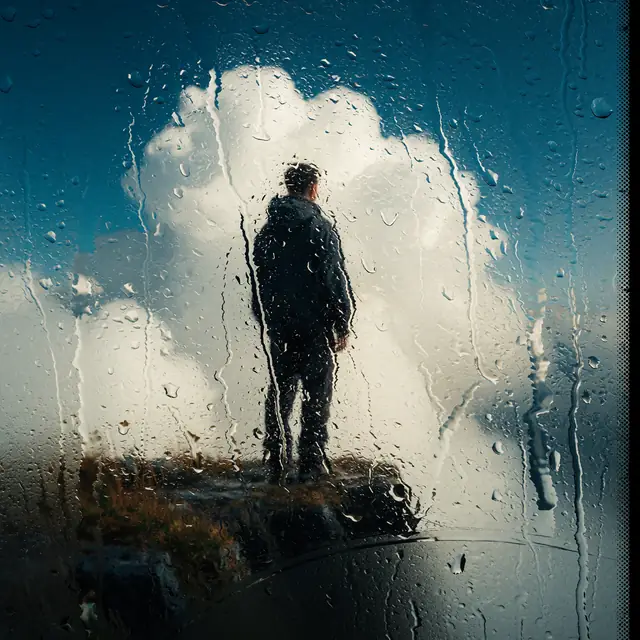
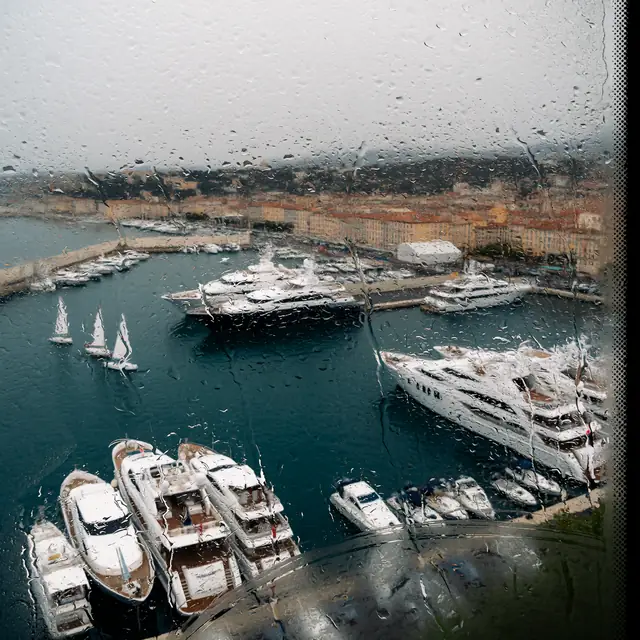
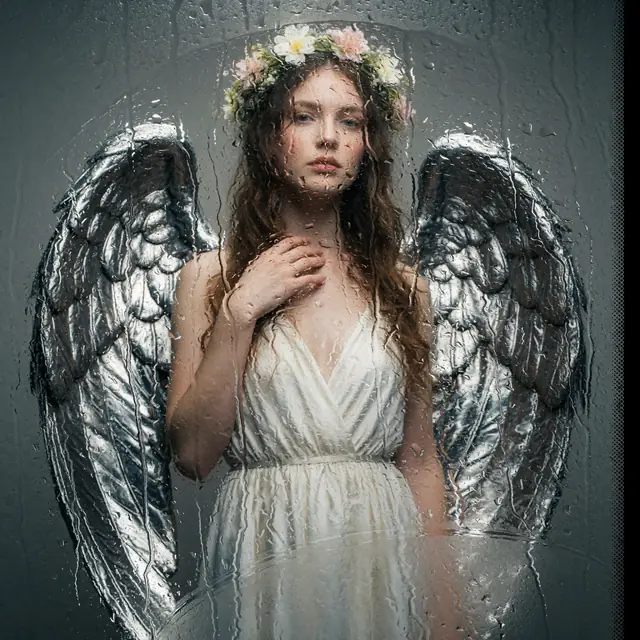
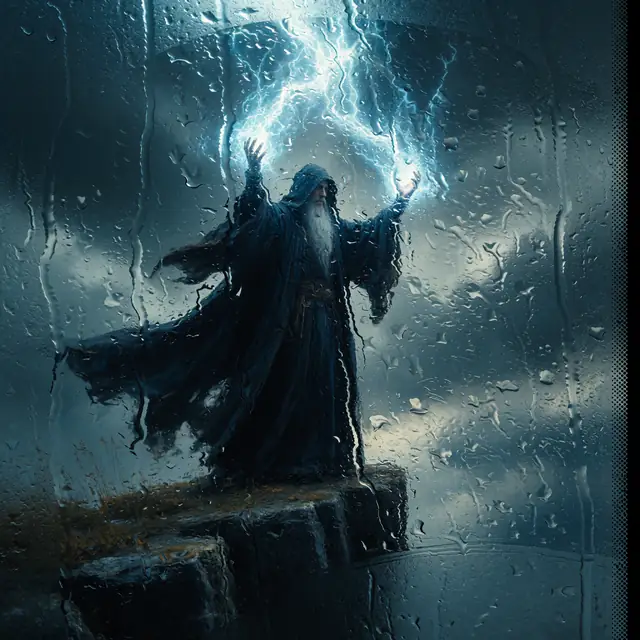
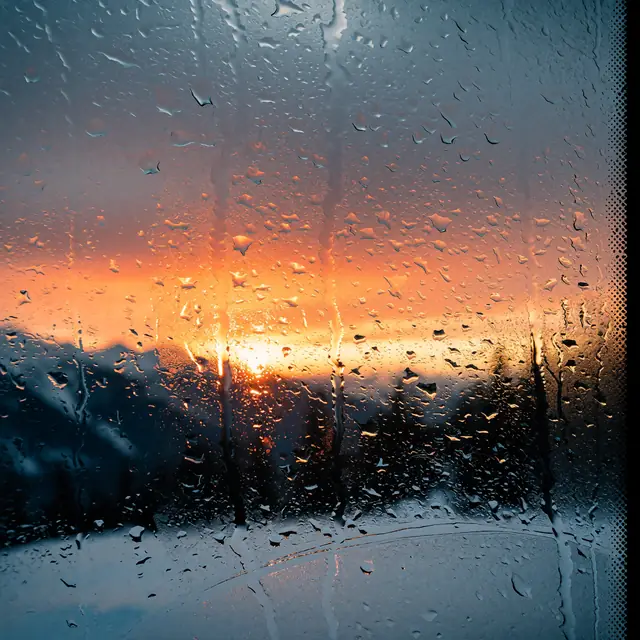
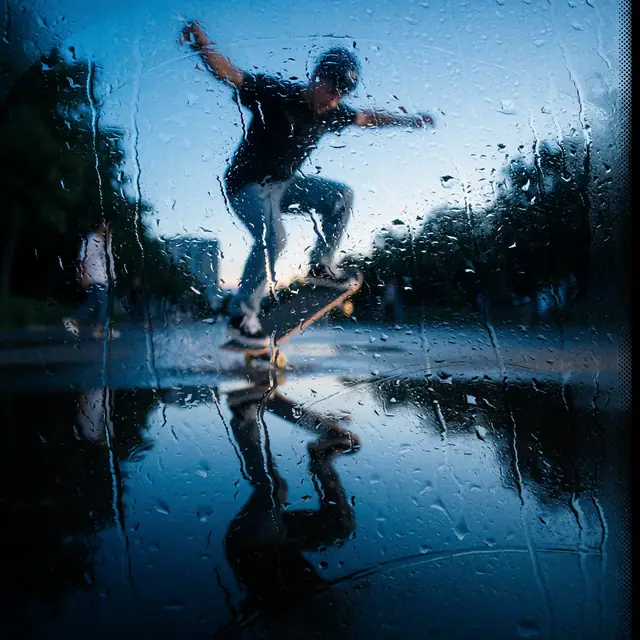
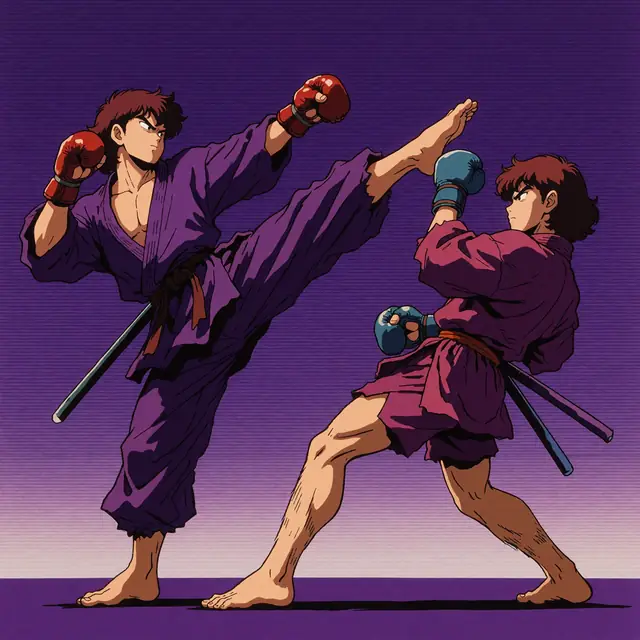
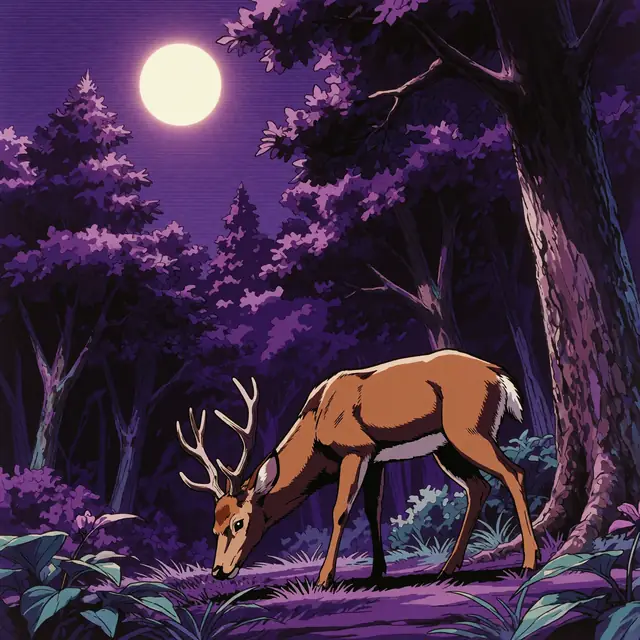
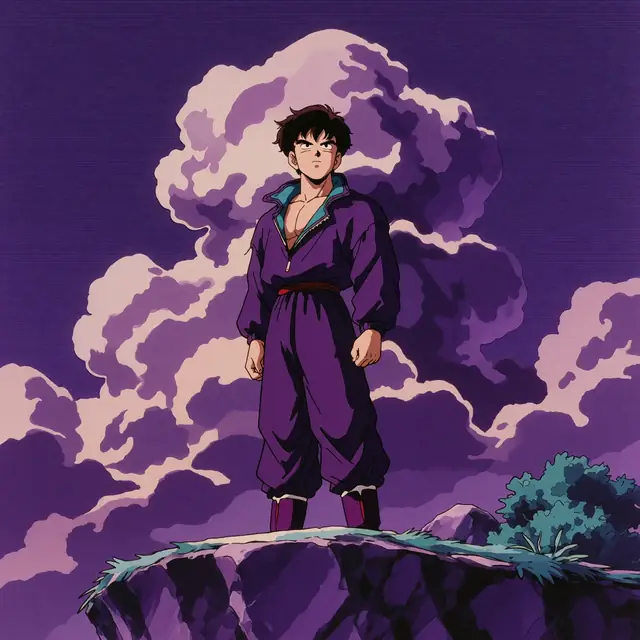
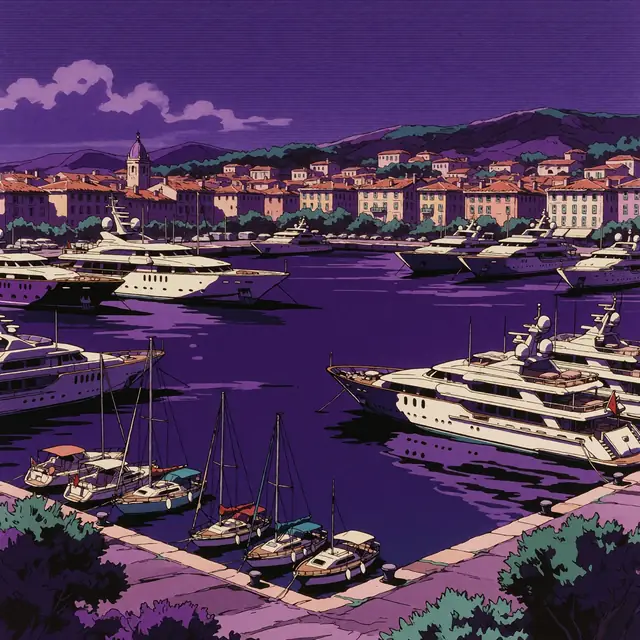
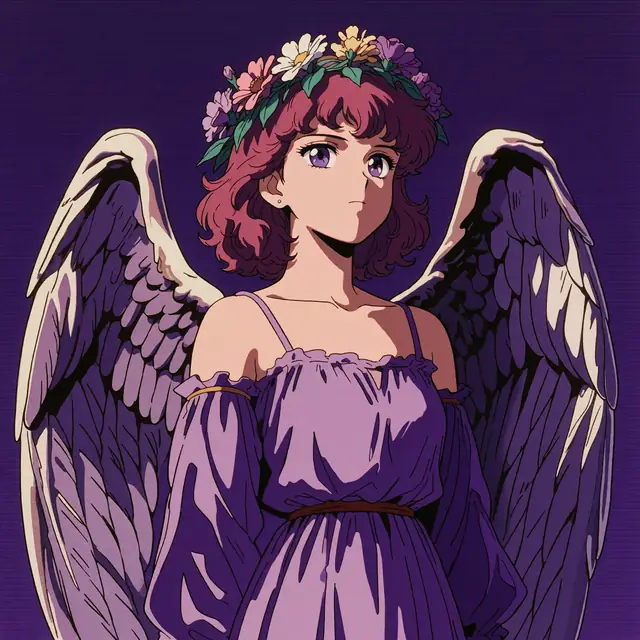
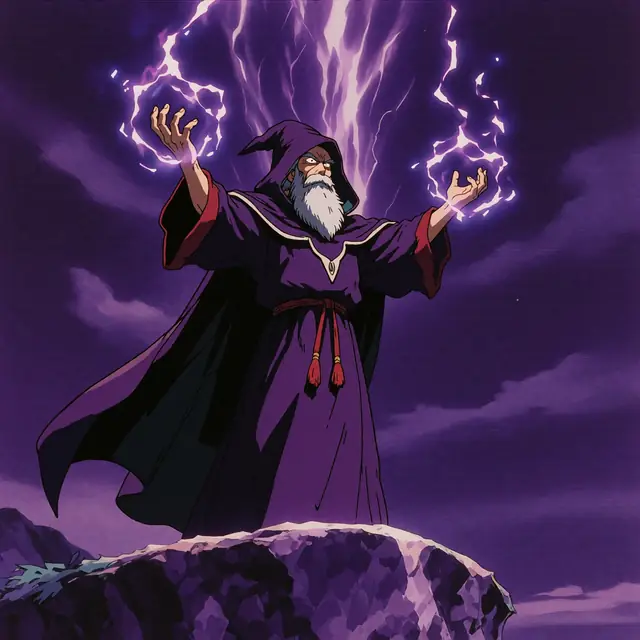
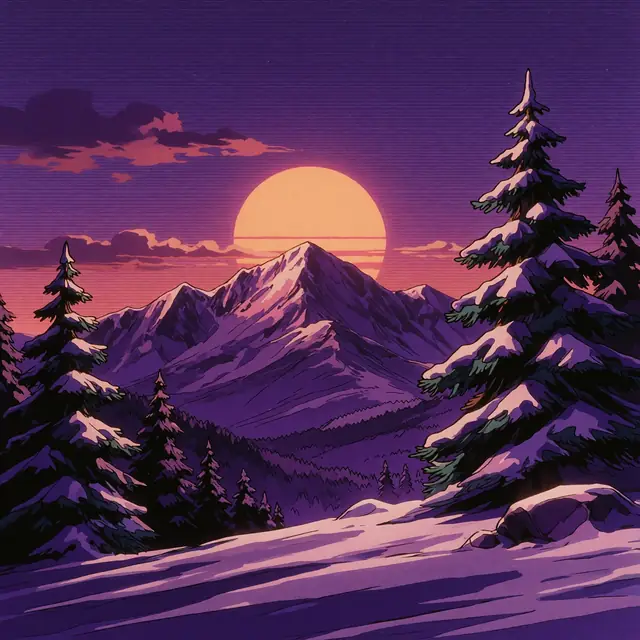
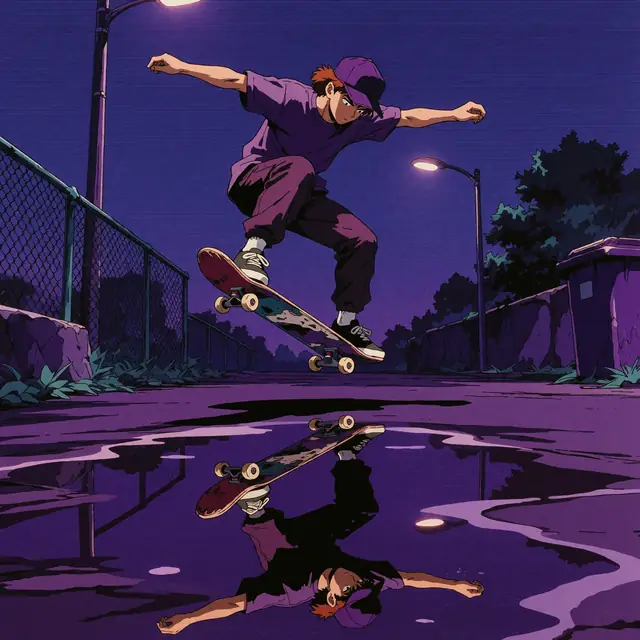
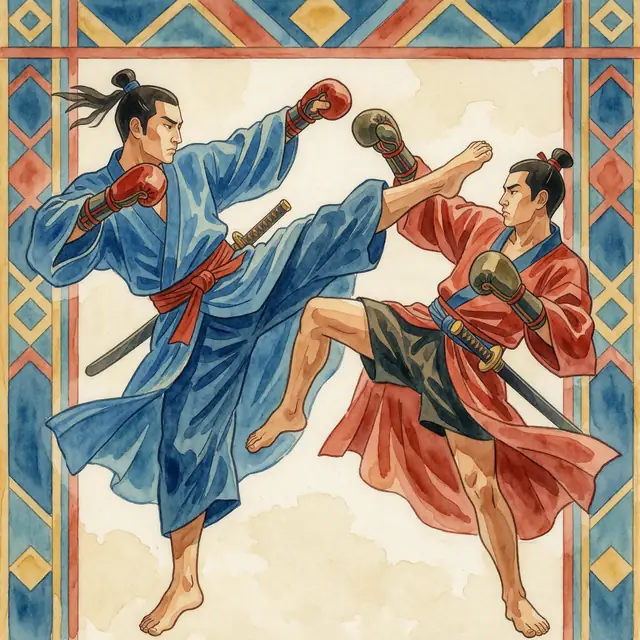
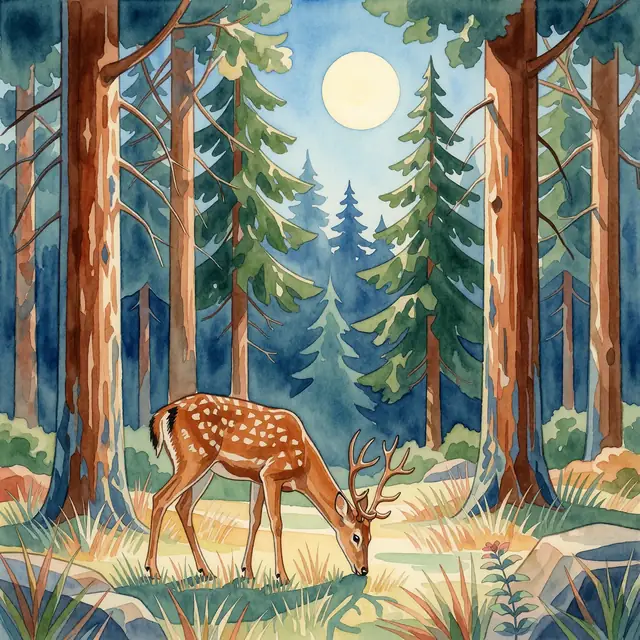
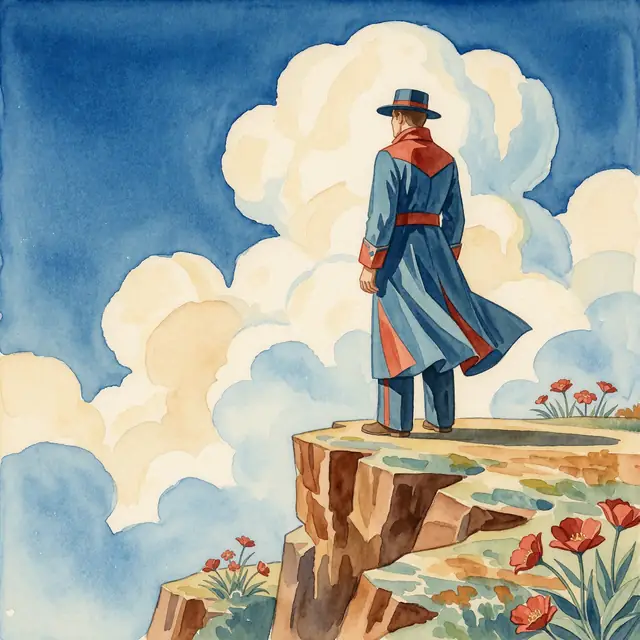
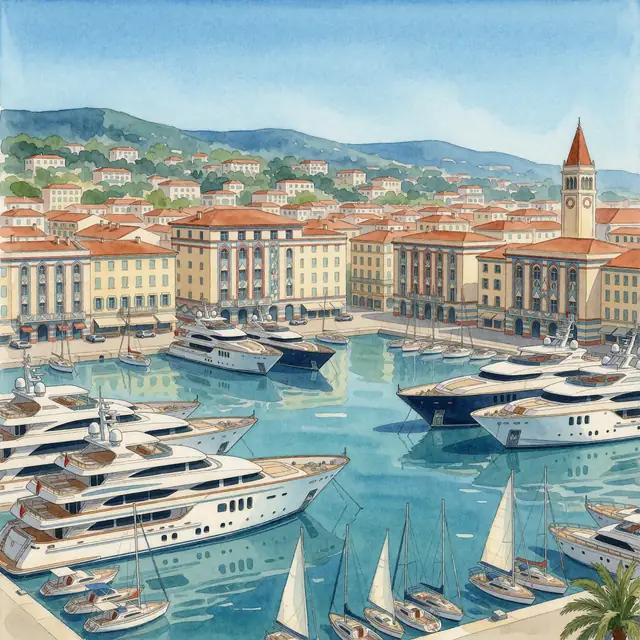
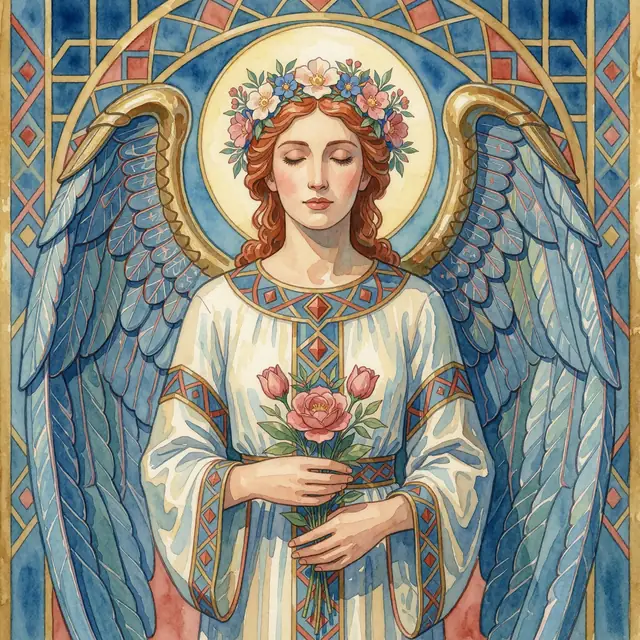
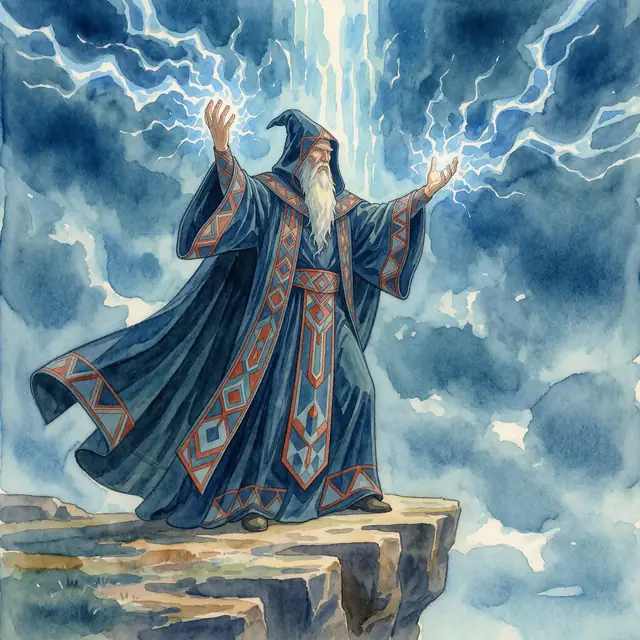
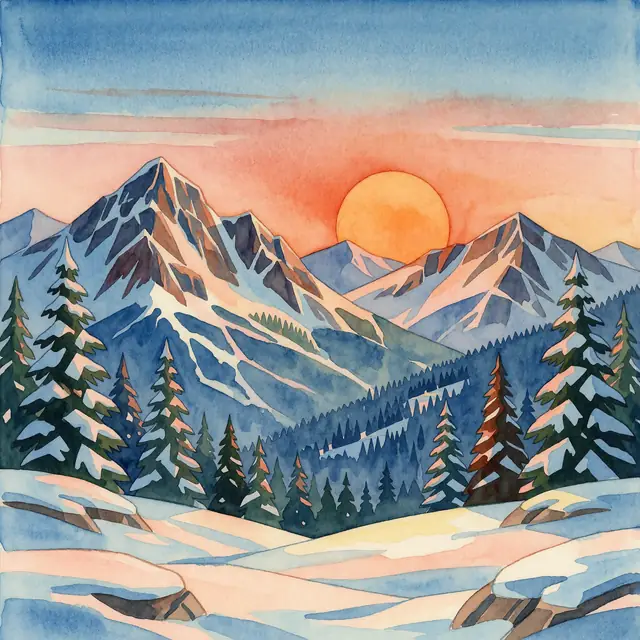
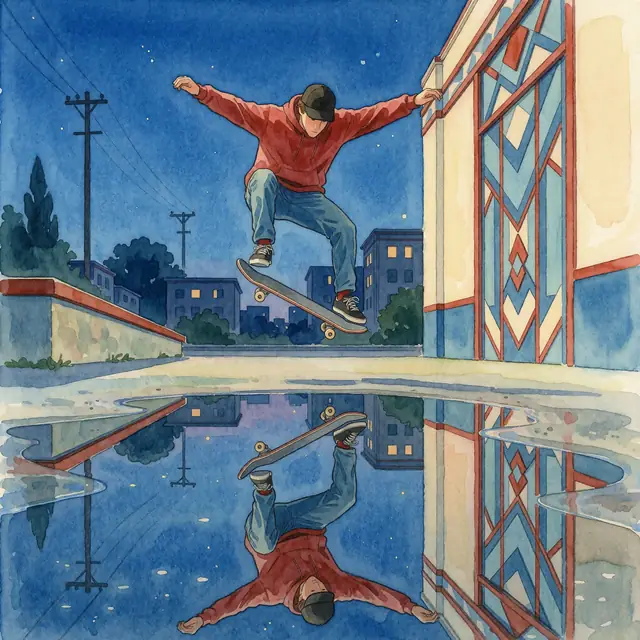
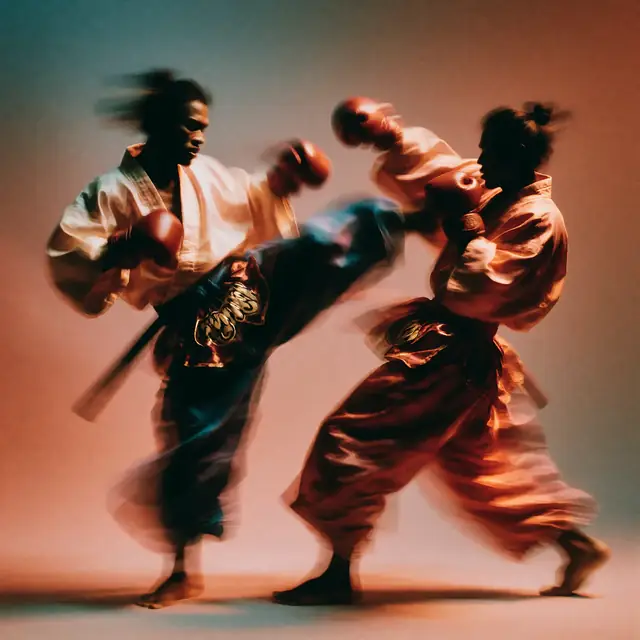
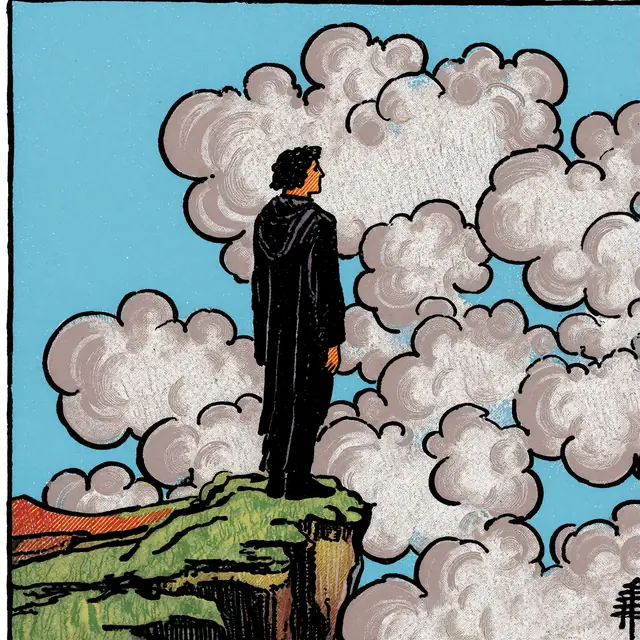
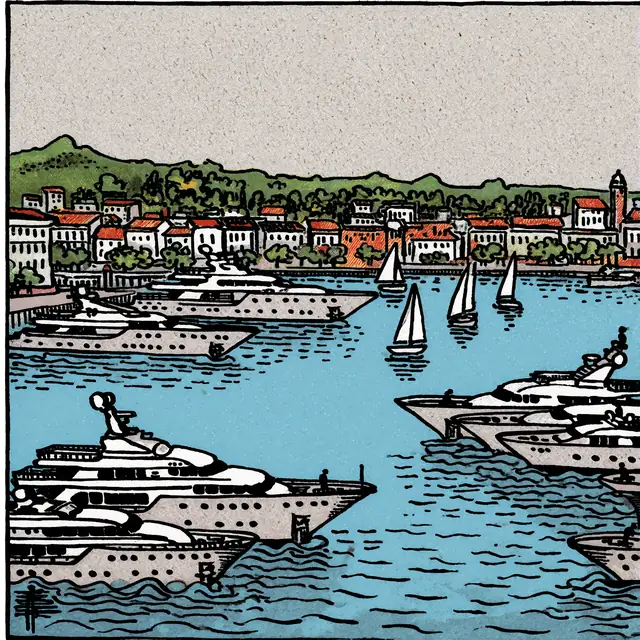
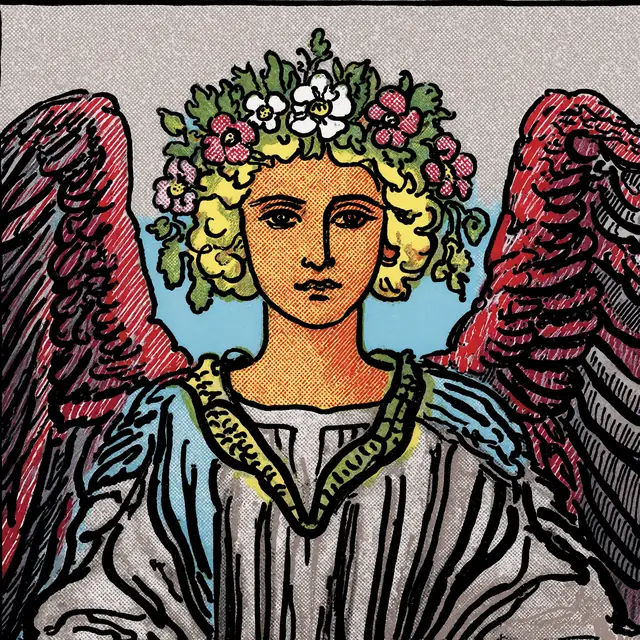
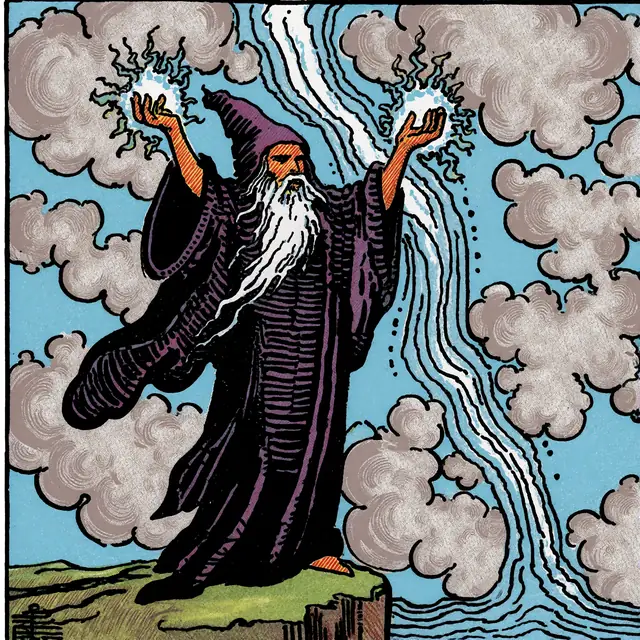
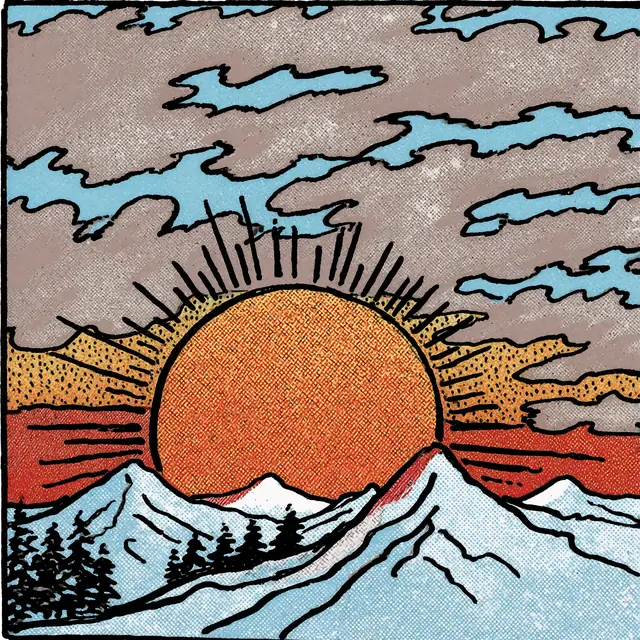
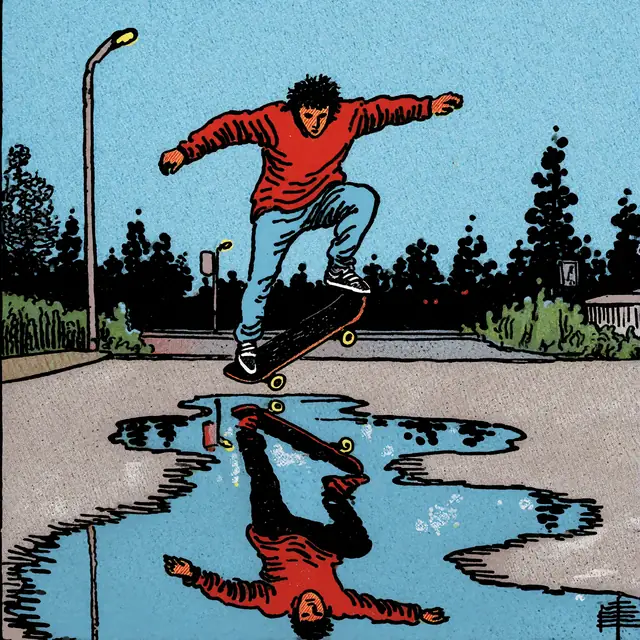
Krea published nine style LoRAs alongside Turbo, each trained on RAW and shown on its model card with the same eight prompts. Every image below is Krea’s own sample with the prompt that made it; the trigger phrase sits at the end. In ComfyUI, load the LoRA at strength 1.0. The box above runs the prompt on Turbo without the LoRA, so add one of these images as a style reference to get close.
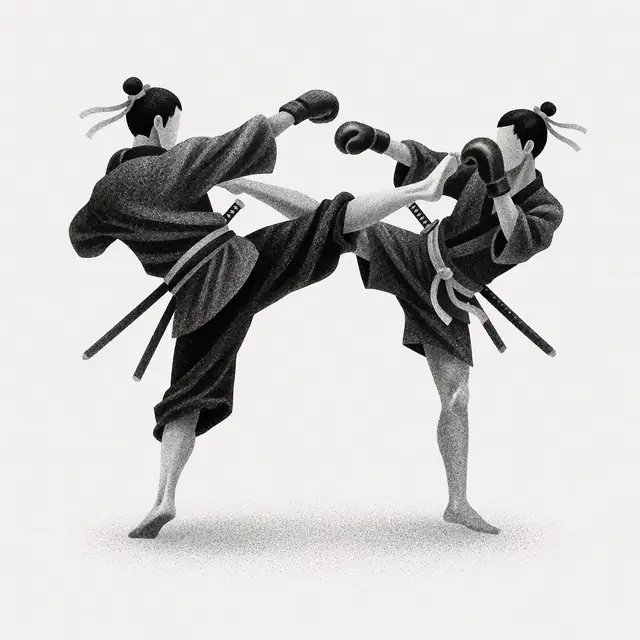
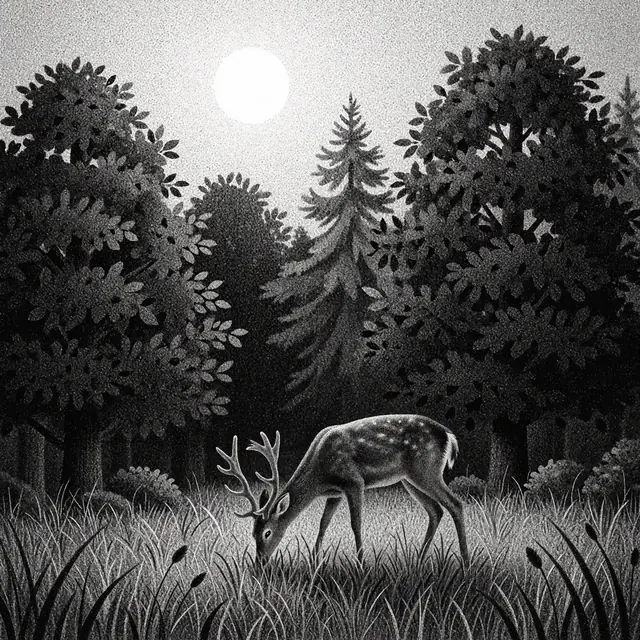
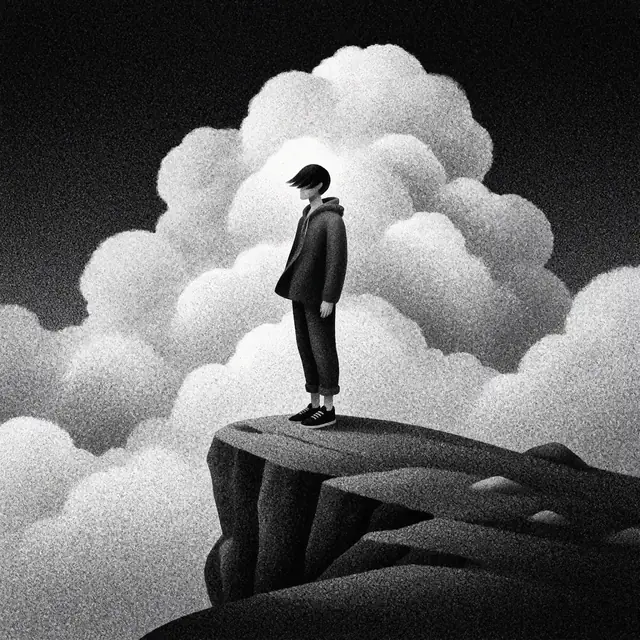
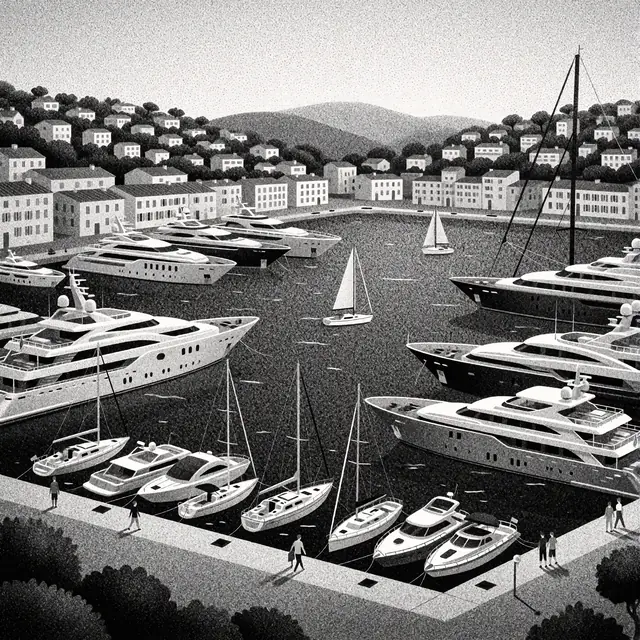
krea2_darkbrush · trigger: “monochrome ink wash style”. Sumi-e brushwork, wet ink and paper white.
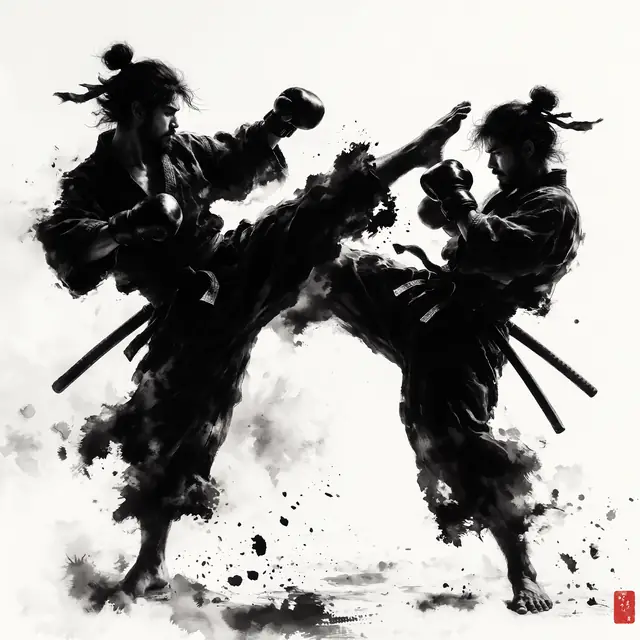
Show prompt
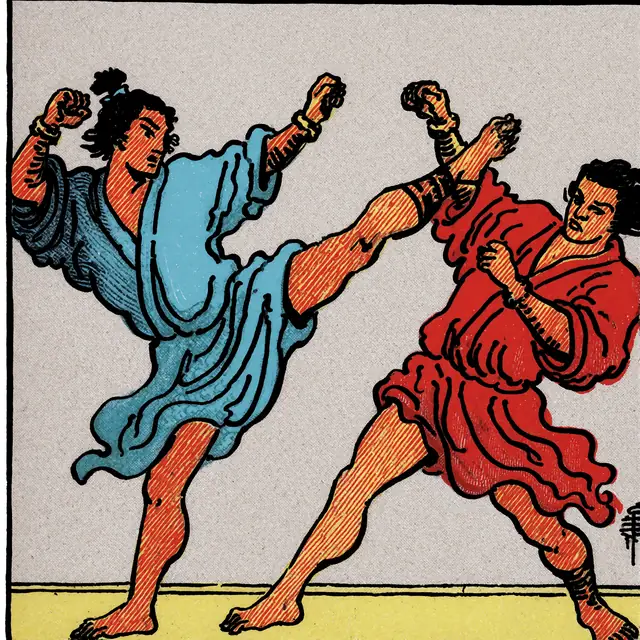
two samurais in flowing robes doing a muay thai fight, one throws a high kick while the other leans back. monochrome ink wash style
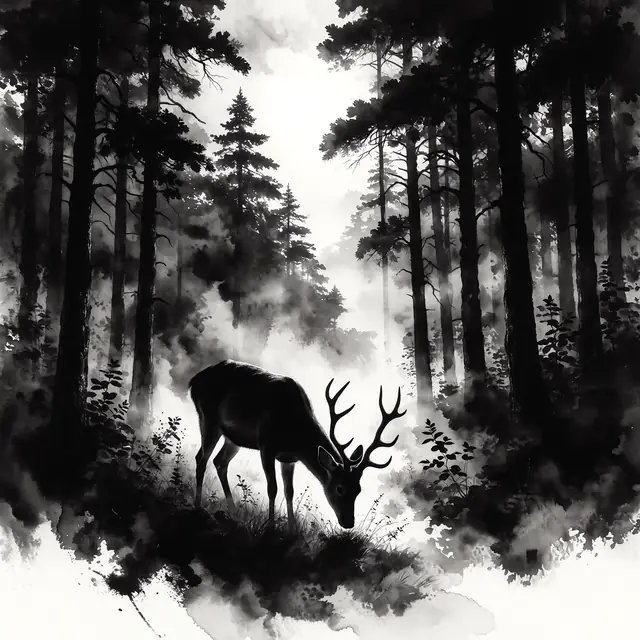
Show prompt
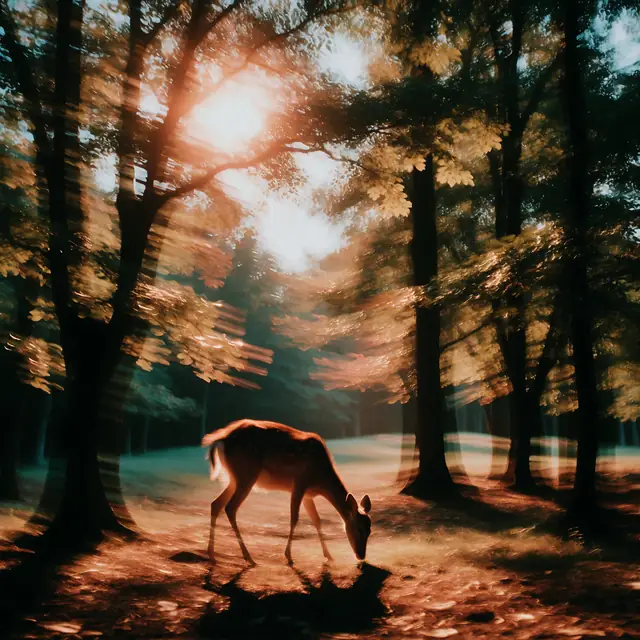
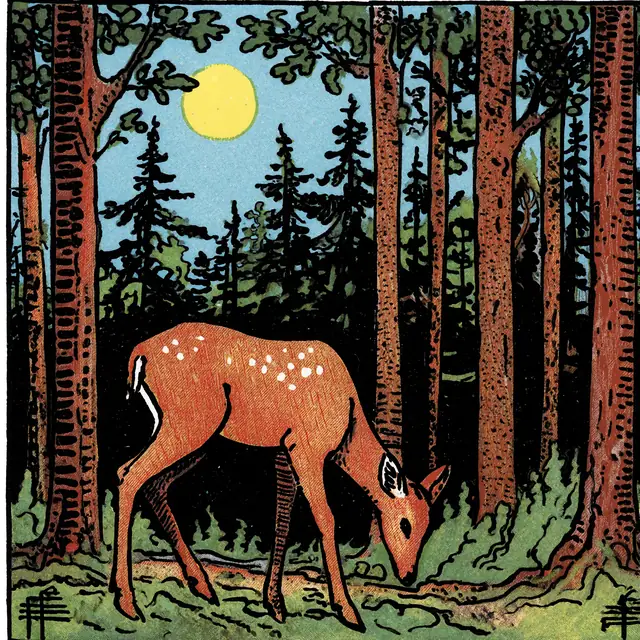
A deer grazing in the forest surrounded by dense trees and the sun bright in the sky. monochrome ink wash style
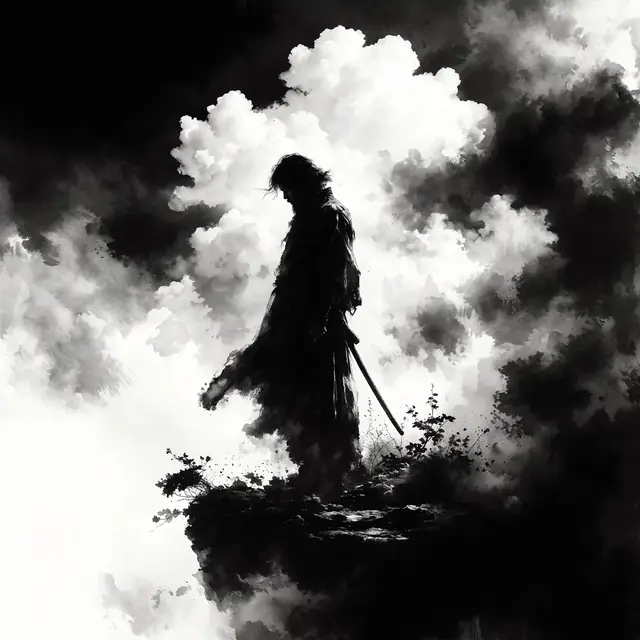
Show prompt
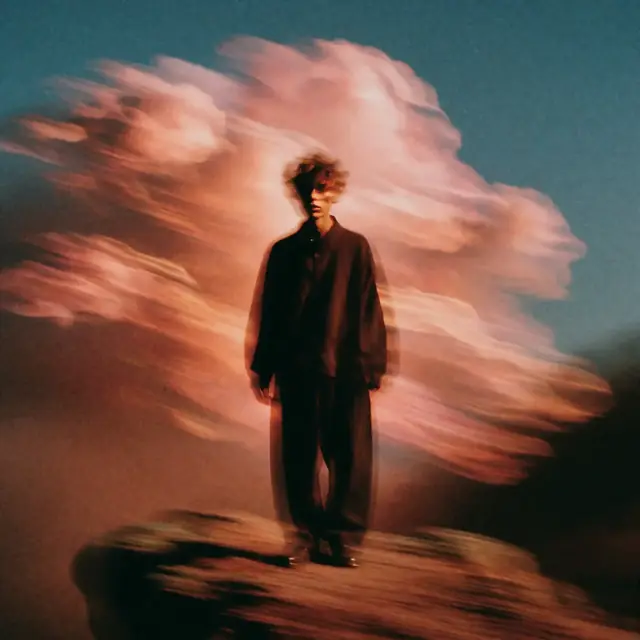
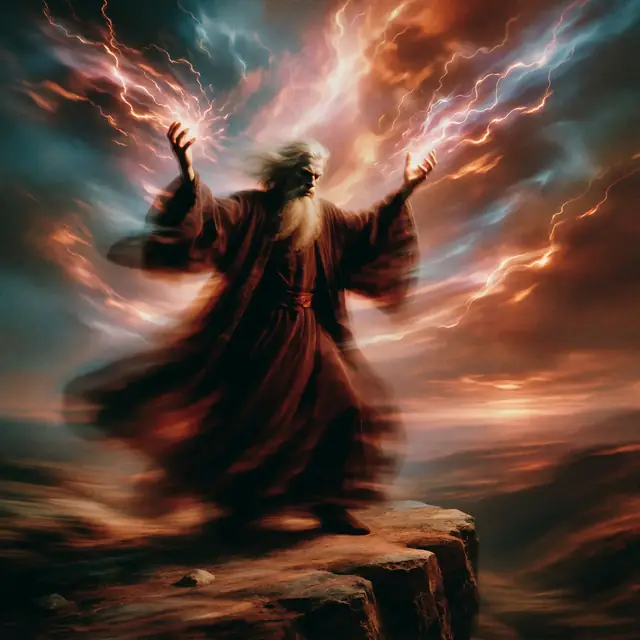
A solitary figure stands on a cliff, billowing clouds behind him. monochrome ink wash style
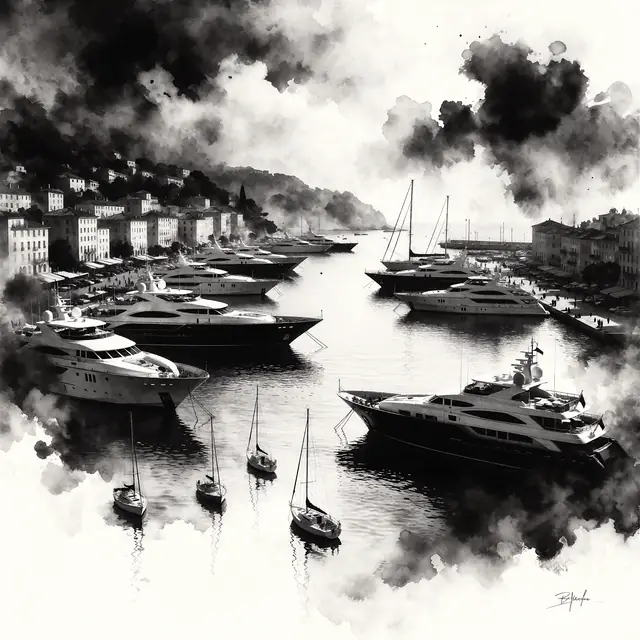
Show prompt
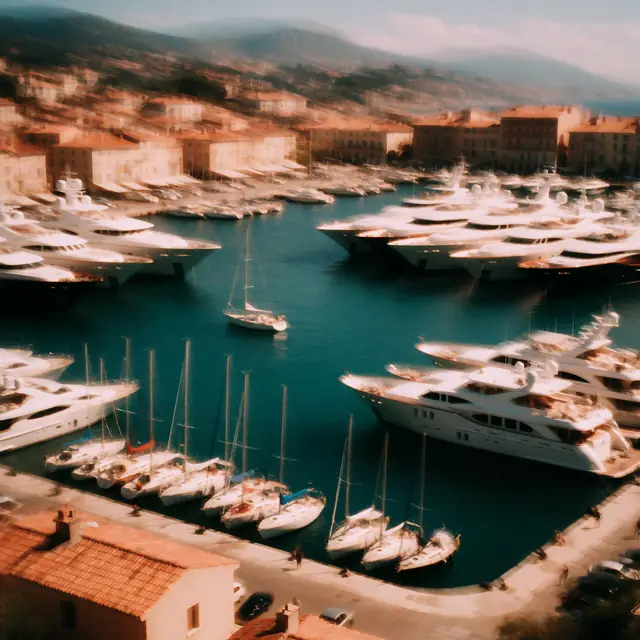
the port of antibes in the french riviera, large yachts and small sailboats are visible. monochrome ink wash style
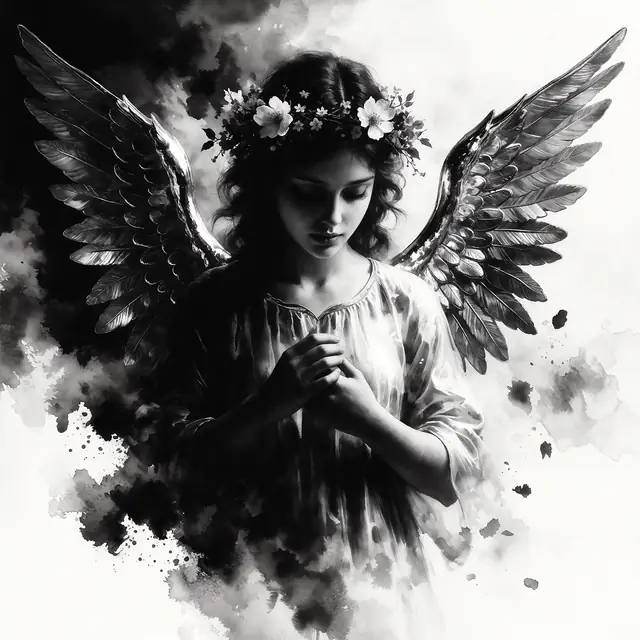
Show prompt
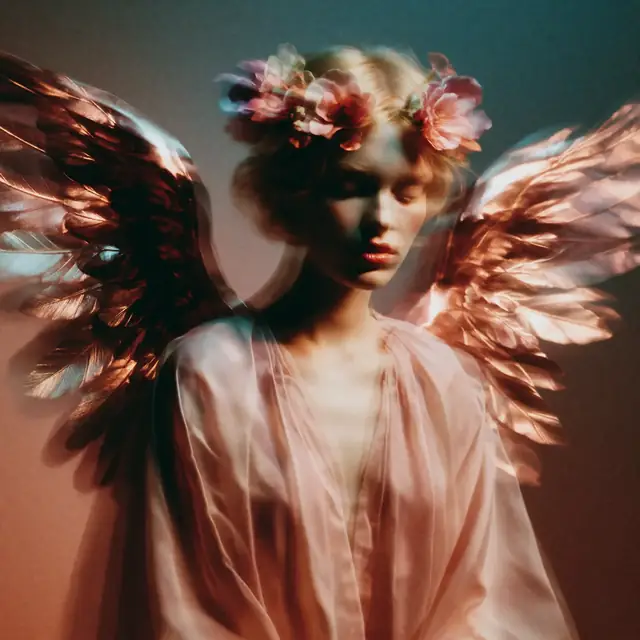
an angel with metallic wings and a crown of flowers. monochrome ink wash style
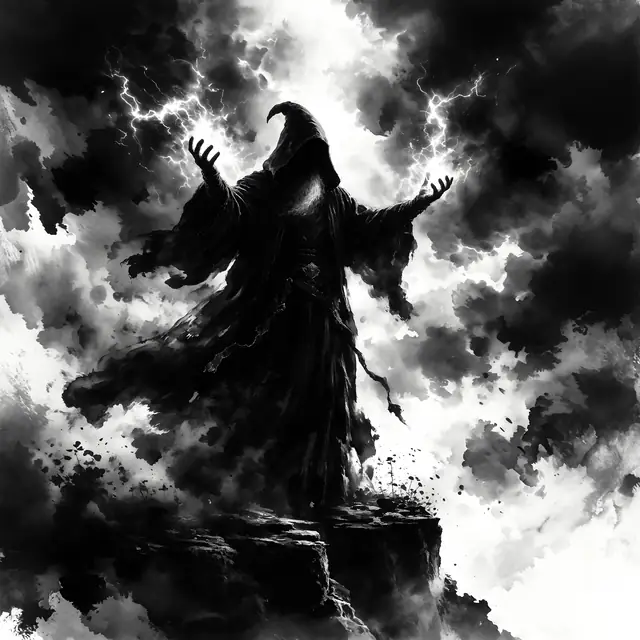
Show prompt
A sorcerer in flowing midnight robes stands atop a cliff edge, arms raised as crackling energy gathers between his palms. The sky roils with energy, flowing down from the sky. monochrome ink wash style
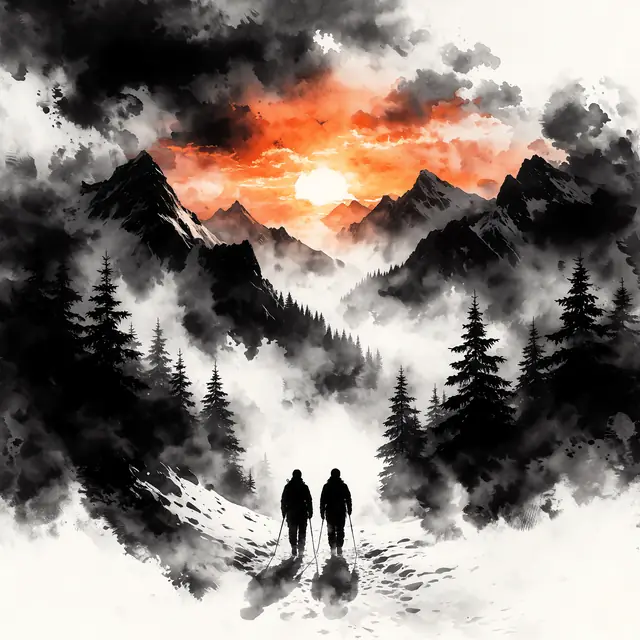
Show prompt
A sunset over snowy mountains. monochrome ink wash style
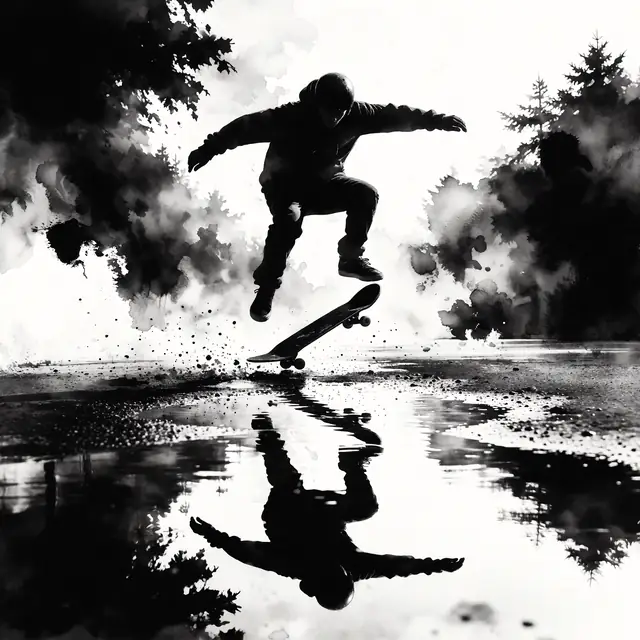
Show prompt
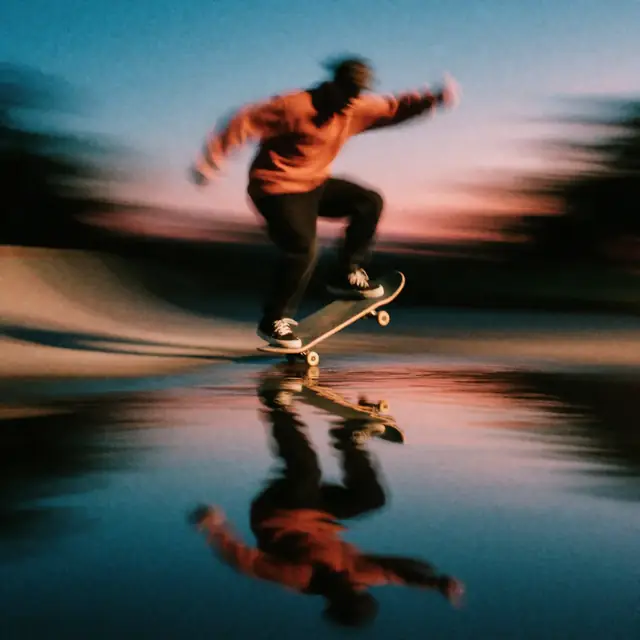
A skateboarder doing a kickflip, a puddle reflects the skateboarder. monochrome ink wash style


Krea 2 style reference: one prompt, thirteen looks
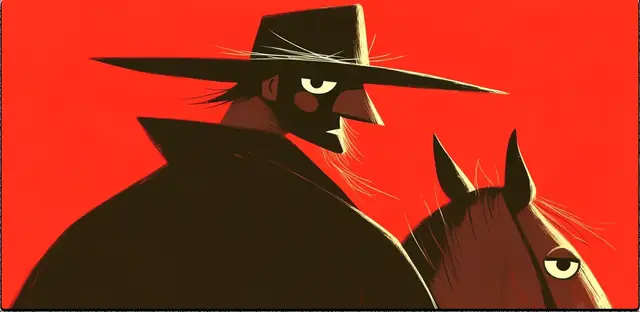
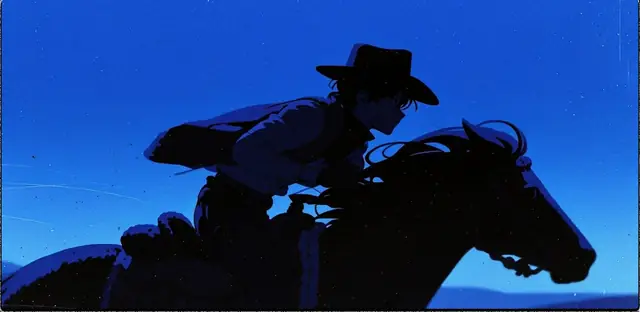
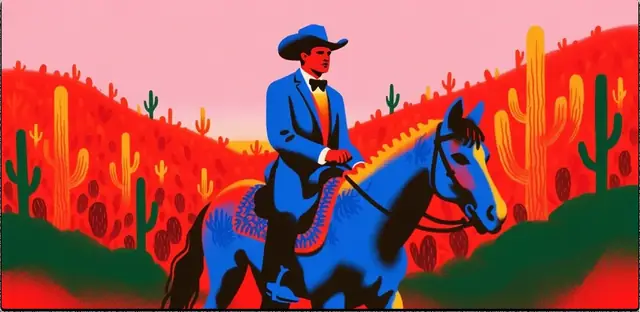
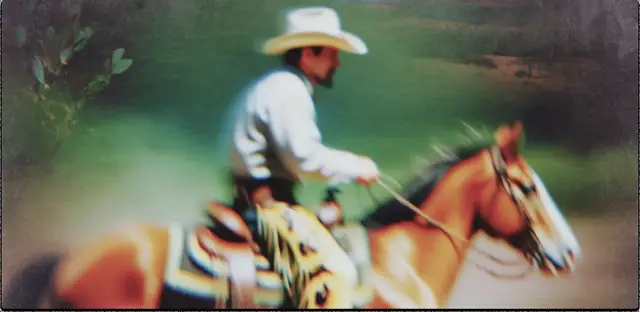
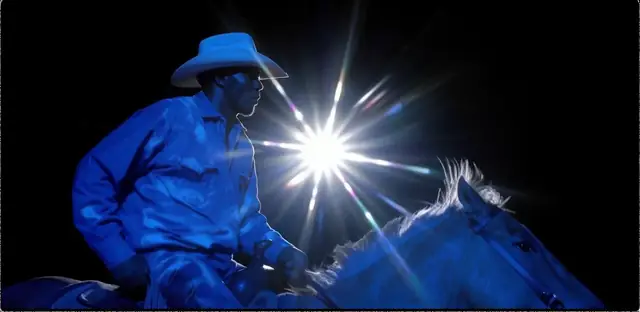
The other official ComfyUI workflow takes a picture instead of a LoRA: Krea’s style reference adapter copies its palette, medium and texture onto your prompt. Krea’s own demo below keeps the prompt fixed and swaps the reference; the last card is fal’s example with its reference image.
Same prompt, thirteen reference images (from Krea’s open-source page). In the box above, add up to three style images to do the same.
Male cowboy riding horse through the desert, close up shot
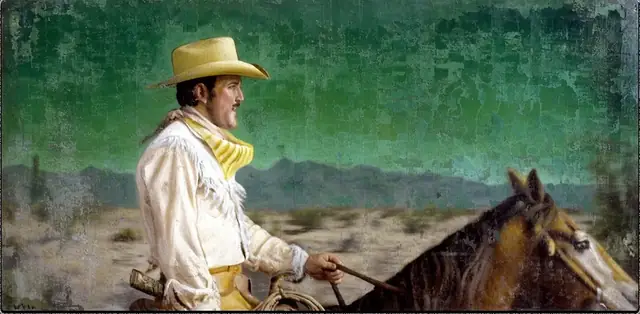
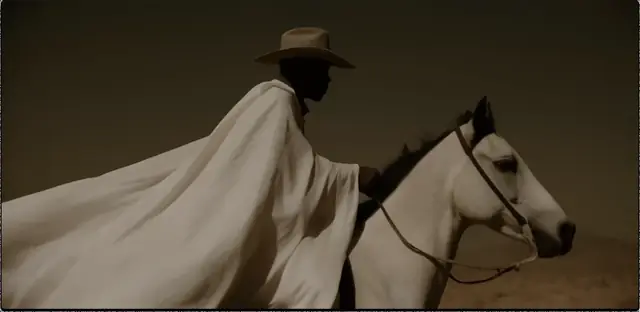
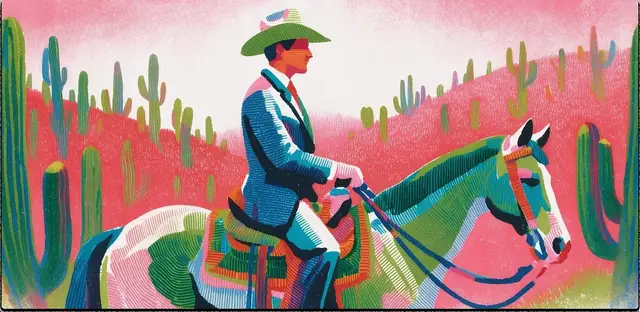
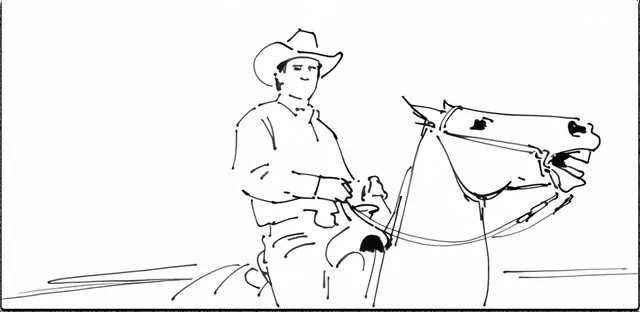
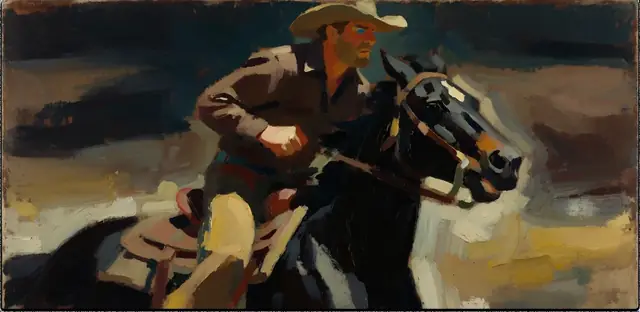
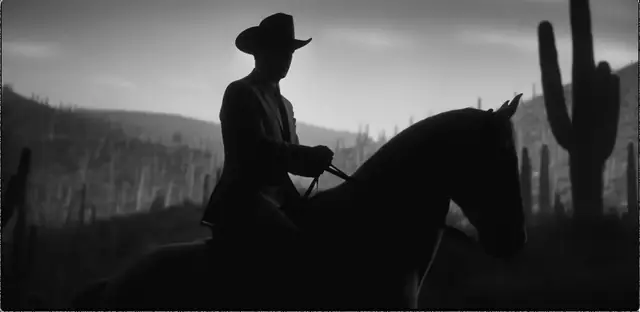
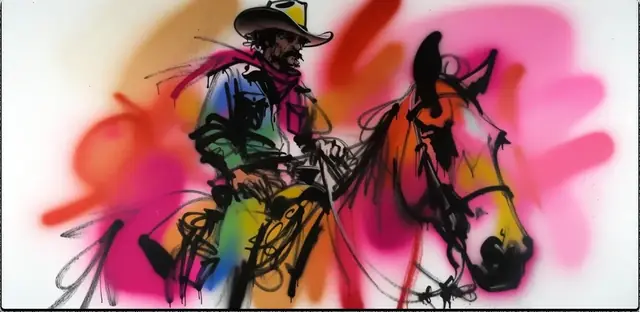
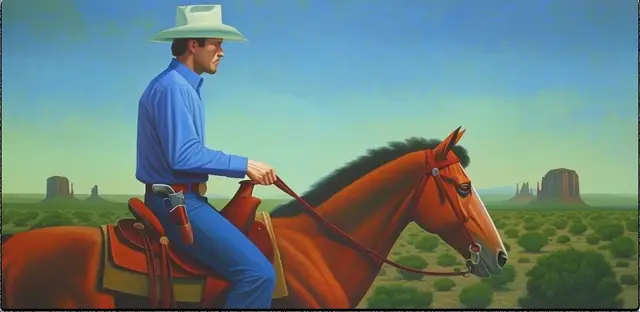
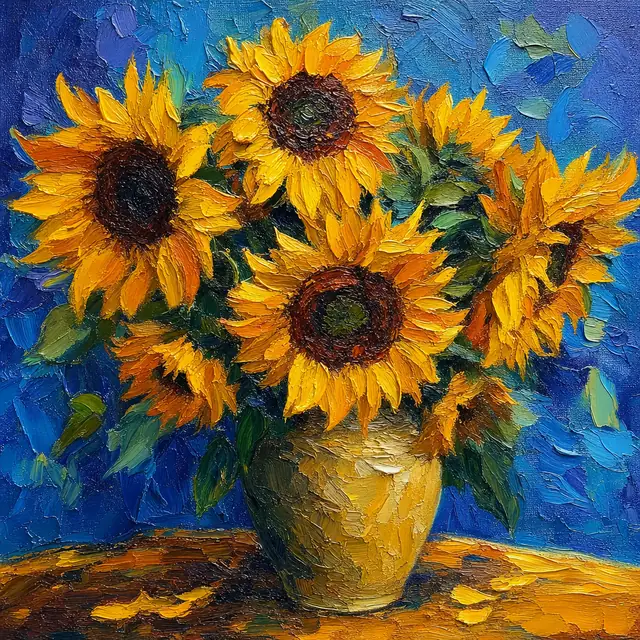 Style reference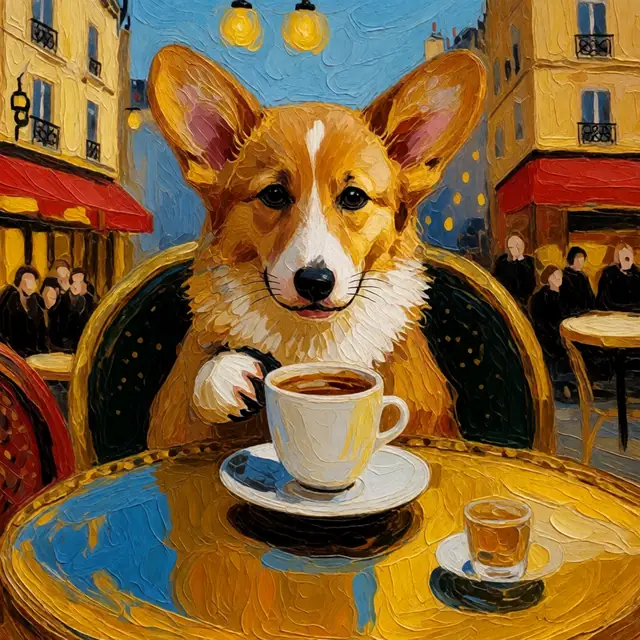
Show prompt
a corgi puppy sipping coffee at a parisian cafe
Krea 2 download: the files ComfyUI needs
Three files make the text-to-image workflow; the style reference workflow adds an INT8 model and an adapter. All are on Hugging Face (Comfy-Org repackages and Krea’s own repos), behind a licence click-through.
| File | ComfyUI folder | What it is |
|---|---|---|
| krea2_turbo_fp8_scaled.safetensors | models/diffusion_models/ | Krea 2 Turbo, FP8. The default in the text-to-image template. |
| krea2_turbo_int8_convrot.safetensors | models/diffusion_models/ | Krea 2 Turbo, INT8. Used by the style reference template; the low-VRAM pick. |
| krea2_turbo_bf16.safetensors | models/diffusion_models/ | Full-precision Turbo for 24 GB cards and for merging. |
| qwen3vl_4b_fp8_scaled.safetensors | models/text_encoders/ | Qwen3-VL 4B text encoder, shared by every workflow. |
| qwen_image_vae.safetensors | models/vae/ | Qwen Image VAE, shared by every workflow. |
| krea2_style_reference.safetensors | models/loras/ | The style reference adapter. |
| krea2_<style>.safetensors (9 files) | models/loras/ | The official style LoRAs: darkbrush, dotmatrix, kidsdrawing, neondrip, rainywindow, retroanime, softwatercolor, sunsetblur, vintagetarot. |
GGUF quantisations (Q8 down to Q4) are community conversions, not Krea’s; they load through the ComfyUI-GGUF custom node’s Unet Loader (GGUF) in place of Load Diffusion Model.
Where the Krea 2 files go
Put each file in the folder below, then restart ComfyUI or press R to refresh the model lists.
ComfyUI/
└── models/
    ├── diffusion_models/
    │   ├── krea2_turbo_fp8_scaled.safetensors
    │   └── krea2_turbo_int8_convrot.safetensors
    ├── text_encoders/
    │   └── qwen3vl_4b_fp8_scaled.safetensors
    ├── vae/
    │   └── qwen_image_vae.safetensors
    └── loras/
        ├── krea2_style_reference.safetensors
        ├── krea2_darkbrush.safetensors
        └── … the other eight style LoRAs
Run the Krea 2 ComfyUI workflow, step by step
- 1
Update ComfyUI
Krea 2 is supported natively from ComfyUI 0.25.0. If the template shows missing nodes, update to the latest release, or the nightly build if the nodes are newer than the release.
- 2
Open the template
In Workflow → Browse Templates, search “Krea-2”. “Krea-2: Text to Image” (image_krea2_turbo_t2i) is the plain workflow; “Krea-2 Int8: Image Style Reference” adds a reference image.
- 3
Point the loaders at your files
Load Diffusion Model takes the Turbo file, Load CLIP the Qwen3-VL encoder, Load VAE the Qwen Image VAE. For a style LoRA, add LoraLoaderModelOnly after the model at strength 1.0.
- 4
Keep Turbo’s settings
8 steps and CFG 0 (or 1, which ComfyUI treats as off). More steps do not add detail to a distilled model, and raising CFG washes it out. Set 2 megapixels in the resolution selector for 2K.
- 5
Write the prompt as sentences
Describe subject, setting, framing, light and medium in natural language. Put text to render in quotes, and a style LoRA’s trigger phrase at the end of the prompt.
- 6
Queue it
Run the queue. Once it works, save the workflow: the same graph runs your own LoRAs later.
Running RAW instead? Swap in the RAW checkpoint and use 52 steps at CFG 3.5, where negative prompts do work. Expect slow, slightly flat images: RAW is a training base.
Krea 2 VRAM requirements by GPU
Approximate VRAM for Turbo at 1K, with the text encoder offloaded between steps as ComfyUI does by default. Sources disagree by a few GB, so treat these as ranges.
| Build | VRAM it needs | Cards it suits | Notes |
|---|---|---|---|
| BF16 | About 24 GB | RTX 3090, 4090, 5090 | Reference quality; the file LoRA tools merge into. |
| FP8 (scaled) | About 12–16 GB | RTX 4070 Ti, 4080, 5070 Ti | The template default. Native FP8 needs RTX 40 or newer; older cards upcast and slow down. |
| INT8 (convrot) | About 8–12 GB | RTX 3060 12 GB, 4060 Ti | Close to FP8 quality and works on RTX 30 cards. |
| NVFP4 | About 7 GB | RTX 50 series | Blackwell-only 4-bit format. |
| GGUF Q4–Q6 | 6–8 GB | RTX 2060, 3060 8 GB, 4060 | Community quantisations; slower and softer, but the way onto 6–8 GB cards. |
Under 6 GB, or on a Mac, the browser box at the top of this page is the practical way to use Krea 2. Apple Silicon runs the BF16 or GGUF files through ComfyUI’s MPS backend, but slowly, and FP8/INT8 kernels are built for NVIDIA.
Krea 2 LoRA training: train on RAW, run on Turbo
Krea’s nine LoRAs were made this way, and so should yours be: train against the undistilled RAW checkpoint, then load the LoRA on Turbo for 8-step images.
- 1
Collect 15–40 images
One subject or one style per LoRA, varied in pose, setting and light. Caption each in a sentence or two, the way you would prompt, with a rare trigger phrase.
- 2
Pick a trainer
Locally: ostris/ai-toolkit, musubi-tuner or the Diffusers scripts, all with Krea 2 RAW support; plan on 24 GB of VRAM. Hosted: fal’s Krea 2 trainer takes a zip of images and captions and charges $0.003 a step, 100 steps minimum.
- 3
Start from the defaults
Krea suggests a learning rate between 3e-4 and 7e-4 (fal defaults to 5e-4), 768 or 1024 px buckets, and a few hundred to a couple of thousand steps depending on the dataset.
- 4
Test on Turbo
Copy the .safetensors into models/loras/, add LoraLoaderModelOnly to the Turbo workflow at strength 0.8–1.0 and end your prompt with the trigger phrase.
A LoRA trained on Turbo itself tends to break the distillation and blur at 8 steps. Stacking works too: chain LoraLoaderModelOnly nodes, keeping the total strength near 1.0.
Krea 2 prompt tips
Write sentences, not tags
The Qwen3-VL encoder reads natural language. Krea’s own prompts run to three or four sentences describing subject, camera, light and medium.
Quote the words to render
Text inside quotation marks is drawn as text. Keep it short; long paragraphs of small text still break.
Leave out negative prompts
Turbo runs at CFG 0, so a negative prompt has no effect. Say what you want instead: “clean background” rather than “no clutter”.
Name the medium
Krea 2 is strongest on look: “35mm film, Portra 400”, “risograph in two inks”, “gouache on toned paper” move it more than adjectives do.
Expand short prompts
Krea ships an expansion system prompt (expansion.txt) for an LLM to turn a short idea into a full caption, and its ComfyUI template expands by default.
One style source at a time
A LoRA and a style reference pulling different ways muddy each other. Use one, or lower the LoRA strength to 0.6 when combining.
Krea 2 license: when commercial use is free
The weights are released under the Krea 2 Community License. You may use, modify and fine-tune them, and use them commercially, as long as your company, counted together with its affiliates, makes less than $1 million a year. Above that, commercial use needs an enterprise licence from Krea.
If you redistribute the model or a fine-tune, include the licence and start the model’s name with “Krea”. Anyone deploying it must run reasonable content filtering. Krea claims no copyright in the images you generate.
Krea 2 ComfyUI FAQ
How much VRAM does Krea 2 need?
Roughly 24 GB for BF16, 12–16 GB for FP8, 8–12 GB for INT8, about 7 GB for NVFP4 on RTX 50 cards, and 6–8 GB for community GGUF files. Figures vary between sources by a few GB. Without a suitable GPU you can run Krea 2 Turbo in the box on this page.
Which Krea 2 file should I download?
For images, Krea 2 Turbo: FP8 on RTX 40 and 50 cards with 16 GB, INT8 on RTX 30 cards or 12 GB, BF16 on 24 GB, GGUF below 8 GB. Download RAW only if you plan to train LoRAs or fine-tune.
What is the difference between FP8 and BF16?
BF16 is the full-precision file, about twice the size. FP8 halves memory with a small loss in fine detail that most people cannot see at 1K. FP8 runs natively on RTX 40 cards and newer; on older cards INT8 is the better half-size choice.
Why do my Krea 2 Turbo images look grey or washed out?
Almost always the sampler settings. Turbo is distilled for 8 steps at CFG 0; raising CFG or running 20–30 steps flattens it. Also check that the Qwen Image VAE, not a FLUX or SDXL VAE, is loaded.
Should I train a Krea 2 LoRA on RAW or on Turbo?
On RAW. Krea’s advice is to train on RAW and run on Turbo, which is how the nine official style LoRAs were made. LoRAs trained directly on Turbo tend to break its 8-step distillation.
Is there a Krea 2 ControlNet or edit model?
Not an official one yet. The open release is text-to-image with style references and LoRAs. Community projects such as an identity-edit LoRA on RAW exist, but they are not from Krea.
Is Krea 2 based on FLUX?
No. Krea trained it from scratch with its own data; it uses a Qwen3-VL text encoder and the Qwen Image VAE. FLUX.1 Krea is a different, earlier model Krea made with Black Forest Labs.
Can I use Krea 2 commercially?
Yes, under the Krea 2 Community License, if your company and its affiliates make under $1 million a year; above that you need Krea’s enterprise licence. Krea does not claim copyright in generated images.
Can I run Krea 2 on a Mac?
ComfyUI on Apple Silicon can load the BF16 or GGUF files through its MPS backend, but expect minutes rather than seconds per image, and the FP8 and INT8 files are built for NVIDIA GPUs. The box at the top of this page works from any browser.
Is Artcraft affiliated with Krea AI?
No. Artcraft is an independent studio that runs Krea 2 Turbo through fal’s API. Krea and Krea 2 are trademarks of Krea AI; the sample images on this page are Krea’s and fal’s, with links to where they were published.
No 16 GB GPU? Run Krea 2 in the browser
Same Turbo model, same 8 steps, with style references and no download.
Try Krea 2 TurboRelated tools
Other Artcraft pages that open the same studio, set up for a different job.